
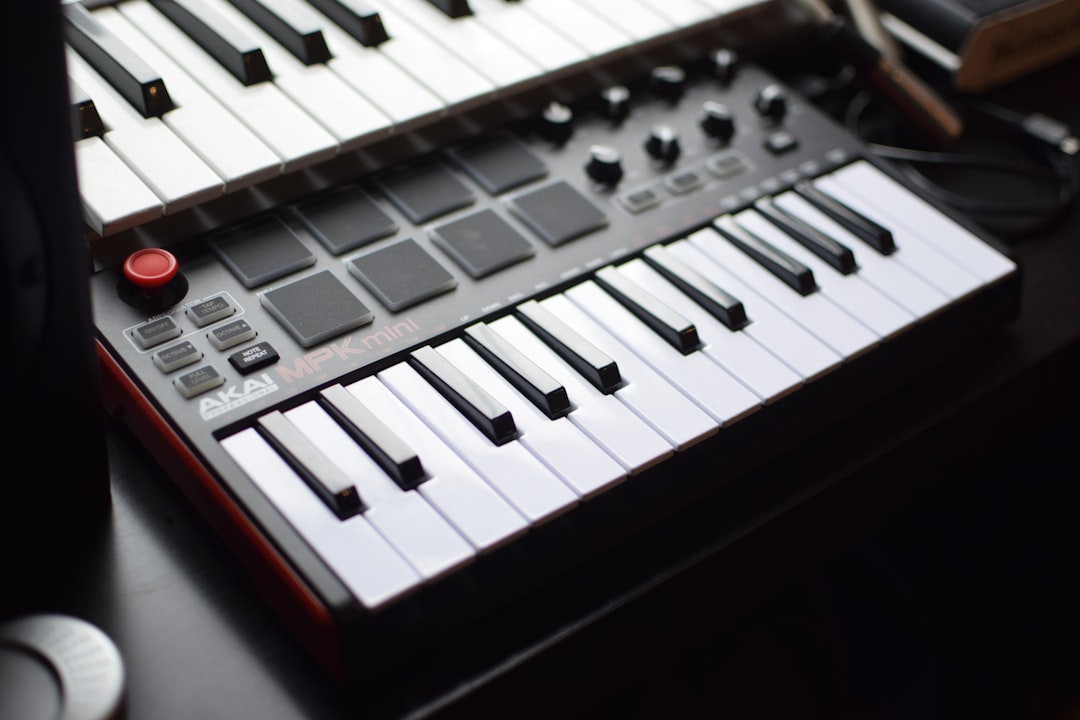
The Akai MPC is the machine that shaped modern beatmaking. Part sampler, part sequencer, part standalone studio, it turned chopping and finger-drumming into an art form and still anchors countless home setups. This guide explains how MPCs work, the difference between the current models, and how to decide which one fits your workflow.
Violet Recording is reader-supported — we may earn a commission from links on this page, at no extra cost to you.
Quick answer
An MPC is a pad-based sampler and sequencer. Modern MPCs run in standalone mode (no computer) with onboard synths, effects and sampling, and also work as a controller for the MPC software on your computer. For most people the MPC One is the sweet spot; the MPC Live II adds portability and outputs; the MPC X is the flagship.
What an MPC actually is
At its core, the MPC records audio, lets you slice and assign it to a grid of velocity-sensitive pads, and sequences your performance into patterns and songs. You tap out drums and melodies on the pads, then arrange them. Modern units add internal synthesiser engines, a stack of effects, audio tracks and clip-launching, so a single box can take a track from first sample to finished arrangement.
That makes the MPC a hybrid of a hardware sampler and a groovebox. If you’re weighing it against other options for percussion specifically, our best analog drum machines guide covers the synthesised alternative.
The thing that keeps people loyal to the format is the feel of the pads. They’re large, sensitive to how hard you hit them, and laid out so that drumming a groove by hand is fast and musical. That velocity response is what lets you push a snare back in the mix or accent a hat without touching a fader, and it’s why MPC-made beats often sit with a looseness that grid-quantised patterns lack.
Standalone vs controller mode
This is the single most important thing to understand about current MPCs:
- Standalone mode — the MPC runs entirely on its own, no computer needed. You sample, sequence, add effects and export, all from the hardware. This is the freedom that draws people away from the screen.
- Controller mode — the MPC connects to your computer and drives the MPC software, giving you a bigger screen, more processing and tighter DAW integration.
Older classic MPCs (and the MPC Studio) lean on the computer, while the standalone-capable models give you both worlds. If you mainly want to work in your DAW, read about connecting hardware to your DAW before choosing.
It’s worth being honest about how you actually work before you spend the money. If you reach for your laptop every session anyway, a controller gives you most of the MPC feel for less outlay. If the appeal is sitting away from a screen — on the sofa, in another room, on a train — then a standalone model earns its premium, because the moment you have to plug into a computer to finish a track, the magic of the workflow tends to evaporate.
Which Akai MPC should you buy?
MPC One
The most popular entry to the standalone range. It’s compact, affordable for what it does, and runs the full standalone OS with sampling, synth engines, effects and sequencing. For most home producers, this is the recommended starting point.
MPC Live II
A portable powerhouse with a built-in battery and built-in speakers, plus more outputs and inputs than the One. Choose it if you want to make beats on the sofa, on the road or away from a power outlet without sacrificing the full feature set. If gigging is the goal, weigh it against the dedicated picks in our best drum machines for live performance roundup.
MPC X
The flagship: the largest screen, the most knobs and I/O, CV/gate outputs for driving modular gear, and the most hands-on control surface. It’s the choice for a permanent studio centrepiece where screen size and connectivity matter.
MPC Key 61
An MPC with a full keybed built in, aimed at players who want to perform melodic parts as well as finger-drum. It folds in onboard synth engines for a keyboard-first standalone experience.
MPC Studio
A slim, lower-cost controller that runs the MPC software on your computer (not standalone). It’s a budget route into the MPC workflow if you’re happy to stay computer-based.
How to choose the right MPC
Rather than starting from the model names, work backwards from three questions:
- Do you want to leave the computer behind? If yes, rule out the MPC Studio and look at the standalone line. If you’re content at a desk, the Studio is the cheapest way in.
- How important is portability and I/O? If you need a battery and speakers, the Live II is the obvious pick. If you want lots of inputs, outputs and CV/gate for a hardware studio, the X is built for that. If neither matters much, the One does the same core job for less.
- Do you play keys? If you write chords and basslines at a keyboard, the Key 61 saves you bolting on a separate MIDI controller and keeps everything in one box.
For a clear majority of home producers, those questions land on the MPC One. It’s only worth paying up for the Live II or X when you can name the specific feature — battery, extra outputs, CV — that you’ll genuinely use.
The MPC workflow in practice
A typical session looks like this:
- Sample a sound — from a record, a synth, or a file.
- Chop or assign it across the pads, using slice modes for breaks or chromatic mode to play it melodically.
- Sequence drums and melodies by finger-drumming or step entry, then layer more tracks.
- Add effects and synths from the onboard engines to flesh out the arrangement.
- Arrange and export the song, or record the outputs into your DAW.
Because the MPC can also sequence external MIDI gear (and the X can output CV/gate), it makes a strong hub for a hardware setup. Pair it with a clean interface from our best audio interfaces for hardware synths roundup and you have a complete rig.
Common mistakes to avoid
A few habits trip up nearly everyone who picks up their first MPC:
- Quantising everything to death. Pulling every hit dead onto the grid throws away the velocity feel that makes the MPC special. Try lighter quantise strengths, or none at all, and let the groove breathe.
- Sampling too hot. Recording a source so loud that it clips on the way in bakes distortion into your sound before you’ve even started. Leave headroom when you sample, then bring the level up afterwards.
- Ignoring gain staging across tracks. With many layered pads it’s easy to push the master into clipping. Keep an eye on your output meter and trim individual pad levels rather than riding the master.
- Clearing samples to other people’s work without thinking about clearance. Sampling commercial records for a release can carry legal obligations. For practice and learning it’s fine, but be aware of the difference before you put a beat out commercially.
- Buying more MPC than you need. The flagship’s extra I/O is wasted if you only ever export a stereo file. Match the model to your actual workflow, not the spec sheet.
MPC vs the competition
The MPC’s main rivals are Elektron’s boxes and Roland’s MC line. The MPC tends to win on sampling depth, pad feel and standalone completeness; Elektron wins on sequencer character and immediacy. If precise, evolving sequencing is your priority, compare with our Elektron gear guide and grooveboxes roundup before deciding.
Frequently asked questions
Do I need a computer to use an Akai MPC?
Not with the standalone models (MPC One, Live II, X, Key series) — they run entirely on their own. The MPC Studio, however, is a controller that needs the MPC software on a computer. Check which type you’re buying based on whether you want a screen-free workflow.
Is the MPC good for melodies, not just drums?
Yes. Modern MPCs include synthesiser engines and let you play samples chromatically, so you can write basslines, chords and leads as well as drums. The MPC Key 61 adds a full keyboard for players who want to perform melodic parts directly.
Which MPC is best for beginners?
The MPC One is the usual recommendation: it’s affordable for the range, fully standalone, and capable enough to grow into. If portability or a battery matters, the MPC Live II is the step up. Beginners on a tight budget who don’t mind using a computer can start with the MPC Studio.
Can I use my own sample libraries on an MPC?
Yes. Standalone MPCs read common audio formats from internal or external storage, so you can load your own one-shots, loops and field recordings alongside anything you sample directly into the unit. That makes it easy to build a personal sound palette and carry it between projects.



