
The best audio interface for Ableton Live is one with rock-solid low-latency drivers, enough I/O for how you produce or perform, and reliable cross-platform support. Ableton runs on both Mac and Windows, so driver stability matters more here than with a Mac-only DAW. Below are the criteria that count and the real interfaces worth buying.
Violet Recording is reader-supported — we may earn a commission from links on this page, at no extra cost to you.
What to look for in an audio interface for Ableton
- Low latency and good drivers. On Windows this means quality ASIO drivers; on Mac, Core Audio. Tight latency keeps live playing and monitoring responsive — see what audio latency is.
- I/O for your workflow. Producers often need only two inputs; performers may want more outputs for cueing or sending stems to hardware.
- Multiple outputs. Extra outputs are handy for separate monitor and headphone mixes, or for routing to a DJ mixer in a live set.
- Build and portability. If you gig, a compact, road-tough unit matters.
If you’re just getting started, read how to set up an audio interface and sample rate and bit depth explained.
Best for most Ableton producers
The Focusrite Scarlett 2i2 remains the go-to: dependable drivers on both platforms, two clean preamps, and exactly the right I/O for laying down vocals, guitars and synth lines. The Universal Audio Volt 2 is a fine alternative with a useful preamp character.
Best budget pick
For a producer who mainly records one source at a time, the Focusrite Scarlett Solo or PreSonus AudioBox USB 96 keep costs down while still delivering stable, low-latency performance with Ableton.
Best for live performance
Performers who run Ableton on stage benefit from extra outputs for cueing and routing. Look at the Focusrite Scarlett 4i4 or the MOTU M4, both of which offer the additional ins and outs a live rig appreciates while staying portable.
Best for low latency and clean conversion
The MOTU M2 and M4 are praised for their conversion quality and tight latency, making them excellent for producers who want clean sound and responsive monitoring. For a studio chasing the lowest possible latency, Thunderbolt options like the Universal Audio Apollo Twin add onboard DSP.
Why latency matters more in Ableton than you might think
Ableton Live is built around real-time performance, not just linear recording. You audition loops, play instruments from a controller, and tweak effects on the fly, so the round-trip delay between hitting a key and hearing the result is felt constantly. A sluggish interface makes finger-drumming feel rubbery and turns soft-synth playing into a guessing game. This is why driver quality, not headline specs, is the single most important thing to get right. If your monitoring still feels laggy, our guide on how to reduce latency when recording walks through the fixes.
The buffer size you set in Ableton’s audio preferences trades latency against CPU load. A small buffer gives you a snappy, responsive feel for recording and live playing, but it forces the processor to work in tighter bursts and can cause audio dropouts on a heavy project. A larger buffer is more forgiving on the CPU and is ideal for mixing, when you no longer need to play parts in. A good interface with efficient drivers lets you push the buffer lower before the system starts to struggle, which is the practical payoff of all that talk about “low latency”.
Connections: USB versus Thunderbolt
Most home and project studios are perfectly served by a class-compliant USB interface, which plugs straight into a laptop or desktop and needs little or no setup on Mac. USB units are affordable, portable and more than fast enough for two-channel production. Thunderbolt interfaces can deliver even lower latency and higher channel counts, which suits busy commercial rooms, but they cost more and are wasted on a simple two-input setup. Match the connection to the work you actually do rather than buying headroom you will never use, and always confirm the unit’s connector matches the ports on your computer.
Common mistakes when choosing an interface for Ableton
- Chasing channel counts you will never use. A solo producer rarely needs eight inputs. Paying for I/O you do not use means less budget for the preamps and converters you actually hear.
- Ignoring driver support on Windows. A cheap interface with flaky or generic drivers will cause clicks, pops and crashes in Live no matter how good the analogue circuitry is. Stick to brands with a track record of stable ASIO drivers.
- Forgetting outputs. Producers often fixate on inputs and overlook the second pair of outputs needed for a separate headphone cue or a hardware send. Plan your routing before you buy.
- Setting the buffer once and leaving it. Track at a low buffer for tight monitoring, then raise it when mixing. Treating buffer size as a fixed setting either hurts your feel or your CPU.
- Overlooking gain staging. A clean preamp only helps if you set input levels sensibly, leaving headroom rather than pushing close to clipping.
How to choose the right one for you
Decide first whether you’re a studio producer or a performer. Studio work usually needs two clean inputs and stable drivers; performance needs more outputs and bulletproof reliability. After that, pick on build quality and conversion. Wondering whether you even need an interface over a mixer? See audio interface vs mixer, and if you currently use a USB mic, USB mic vs audio interface.
Frequently asked questions
Does Ableton need ASIO drivers on Windows?
For best low-latency performance on Windows, yes — use the interface’s ASIO driver. Most quality interfaces ship with one. On Mac, Core Audio handles this natively.
How many outputs do I need for live Ableton sets?
At least a separate main and cue (headphone) output, which most two-output interfaces provide. Performers routing multiple stems or to a mixer may want four or more outputs.
Will any interface work with Ableton on Mac and Windows?
Most reputable interfaces are cross-platform and class-compliant. Always check the manufacturer lists current drivers for your operating system version before buying.
What buffer size should I use in Ableton?
Use a small buffer while recording or playing instruments so monitoring feels responsive, then raise it when mixing to give your CPU more room. There is no single correct number — adjust it to the task and to how heavy your project has become.
Do I need a Thunderbolt interface for Ableton?
No. A good USB interface gives most producers all the speed they need. Thunderbolt is worth it mainly for high channel counts or commercial rooms chasing the absolute lowest latency, and it is overkill for a two-input home setup.
Shop related gear
A reliable interface that pairs well with Ableton:
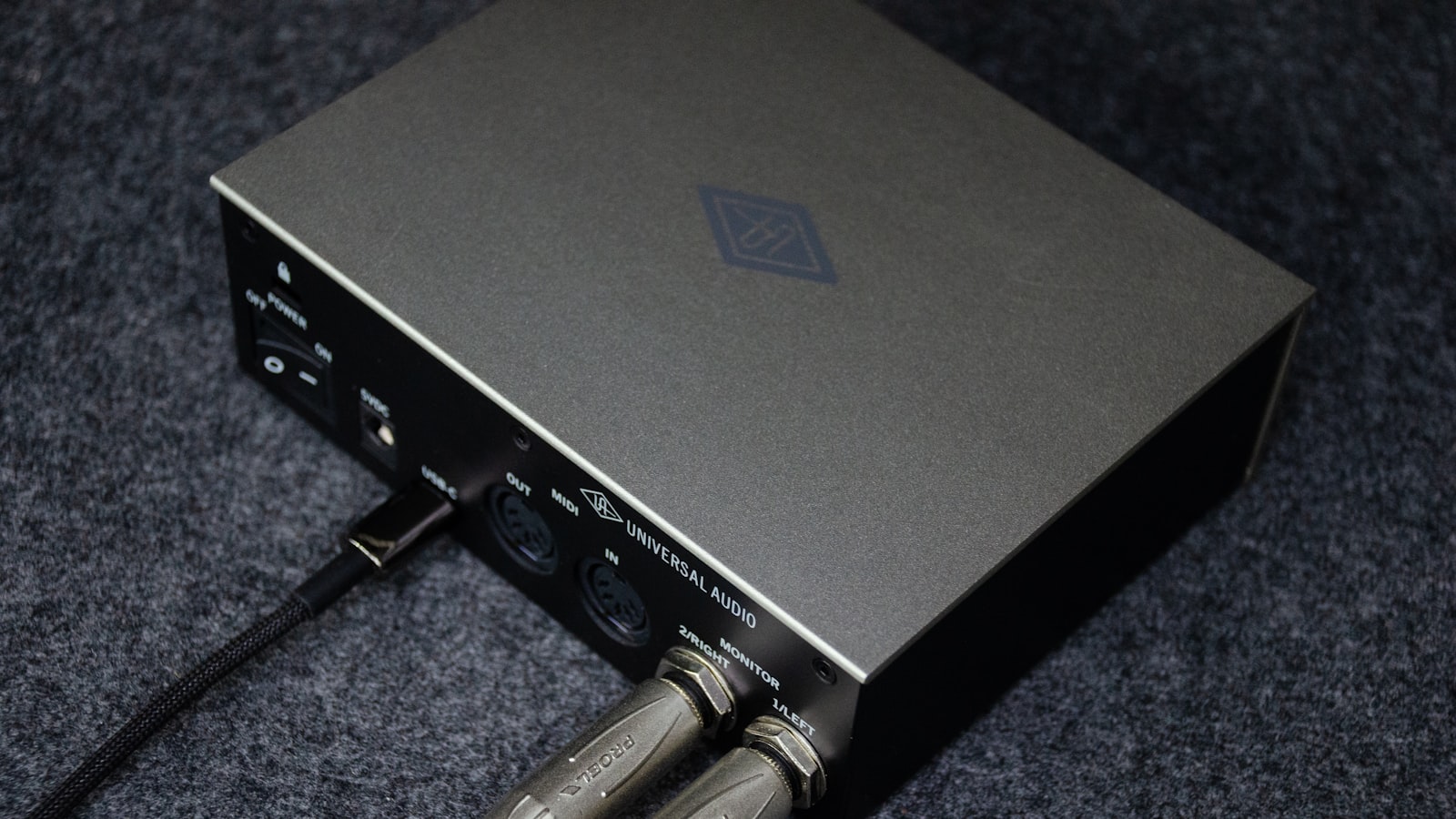
Clean preamps and low-latency USB-C for your home studio.



