
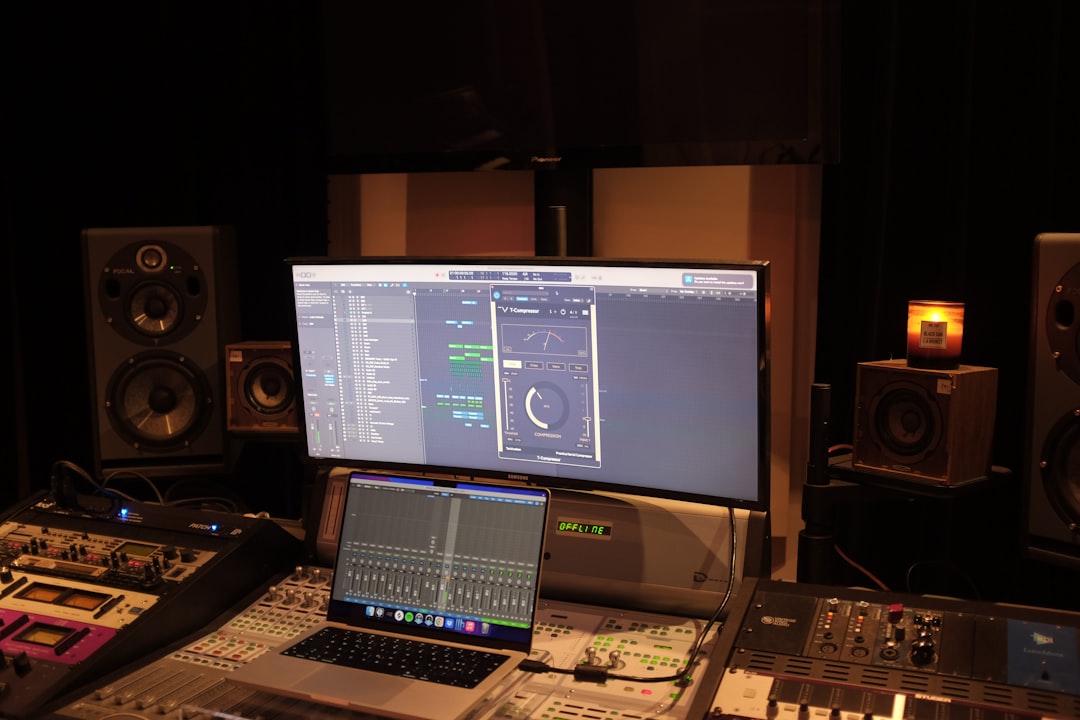
The best VST plugins for beginners are the ones that teach you good habits without drowning you in options: a clean EQ, a simple compressor, a musical reverb, one flexible synth, and a solid drum sampler. Get those five categories covered — several of them free — and you can mix, produce and finish a track without ever touching the overwhelming plugin folder that stalls most new producers.
Violet Recording is reader-supported — we may earn a commission from links on this page, at no extra cost to you.
Quick-pick: the plugins to start with
If you want the short version, here’s where to spend your attention (and, where it matters, your money) first. Every category below has a genuinely good free option, so you can build a complete starter rack for nothing and upgrade only when you hit a real limitation.
| Category | What it does | Best for beginners | Our pick |
|---|---|---|---|
| EQ | Shapes tone, removes mud and harshness | Clean, visual, everyday mixing | TDR Nova — free parametric EQ with a built-in analyser |
| Compressor | Controls dynamics, adds punch | Learning gain reduction visually | TDR Kotelnikov — free, clean and superbly metered |
| Reverb | Adds space and depth | Simple, musical presets | Valhalla Supermassive — free, lush presets, reverb and delay in one |
| Synth | Generates melodies, basses, pads | One flexible do-everything synth | Vital — free, huge preset library, three synthesis types |
| Drums/sampler | Loads and triggers drum sounds | Beats without a hardware kit | Sitala — free, drag-and-drop pads and instant kits |
Why VST plugins for beginners should be few, not many
The single biggest mistake new producers make is collecting plugins instead of learning them. It’s tempting — there are thousands of free downloads, and every YouTube video seems to name a different “essential” tool. But a folder with forty EQs doesn’t make you a better engineer; it makes every mix decision slower, because you spend energy choosing a plugin instead of choosing a sound.
Professionals tend to work the opposite way. They use a small, familiar set of tools and know exactly how each one behaves. That familiarity is what lets them move fast and trust their ears. As a beginner you want to copy that habit early: pick one EQ, one compressor, one reverb, one synth and one drum tool, and stay with them until using them feels boring. Boredom, here, is a sign of fluency.
The good news is that your DAW already ships with capable stock versions of most of these. Before you download anything, open your mixer and look at what’s built in — many of the plugins we describe below have a stock equivalent that’s more than good enough to finish real releases. Third-party plugins are worth adding when you want a specific character, a friendlier interface, or a feature your stock tools genuinely lack, not simply because they’re new.
EQ: the first plugin you should master
Equalisation — turning frequencies up or down — is the most-used process in any mix, so it’s the first plugin to get comfortable with. For a beginner, the ideal EQ is a clean, transparent, “parametric” one with a real-time frequency analyser so you can see the sound as well as hear it. That visual feedback is a fast teacher: you learn to associate the rumble you hear with the low-end blob on screen, and the harshness with a spike around 3–5 kHz.
You don’t need vintage-modelled or colour EQs yet. Those are wonderful, but they add character on top of the correction you’re still learning to hear. Start neutral. Learn to high-pass unwanted low end, dip problem frequencies with a narrow cut, and add gentle broad boosts for tone. Once those moves are second nature, character EQs become a creative choice rather than a crutch.
There are excellent free analysing EQs that rival paid ones, which makes this an easy category to start in for zero cost. If you want to go deeper on the fundamentals, our guide to EQ and compression fundamentals walks through the actual moves.
Our EQ pick: TDR Nova. It’s a free parametric EQ with a real-time analyser built in, and it has become a widely recommended beginner favourite for exactly the clean, visual workflow described above — you can see the frequency you’re about to move before you touch it. Check the developer’s site for current terms and formats.
Compressor: control dynamics without guesswork
A compressor evens out the loud and quiet parts of a performance and, used well, adds punch and glue. It’s also the plugin beginners find most confusing, because you can’t always hear what it’s doing at first. That’s why your starter compressor should have a clear gain-reduction meter and simple controls: threshold, ratio, attack, release, makeup gain. Watching the needle move while you listen is how the concept finally clicks.
Avoid, for now, the wall of vintage compressor emulations — the 1176s, LA-2As and bus compressors that experienced engineers reach for by name. They’re modelled on classic hardware and each has a distinct feel, but as a beginner you can’t yet tell why you’d choose one over another. A single clean, well-metered compressor teaches you the mechanics; the flavoured ones make sense later, once you know what “fast attack” actually sounds like on a vocal versus a snare.
Our compressor pick: TDR Kotelnikov. It’s a free, clean and transparent compressor with a detailed, easy-to-read gain-reduction meter — well suited to learning the mechanics without a vintage “flavour” getting in the way. Check the developer’s site for current terms and formats.
Reverb and delay: adding space
Reverb places a dry, close-recorded sound into a room, and delay creates echoes for depth and rhythm. Together they’re what turn a flat, in-your-face recording into something that sounds finished. For beginners, the trap is overusing them — a little reverb goes a long way, and too much washes a mix into mud.
Look for a reverb with clear, well-named presets (hall, room, plate, vocal) and a simple mix or wet/dry control, so you can dial in a taste of space without understanding every parameter first. A tempo-syncable delay is the natural companion. You almost certainly have both stock in your DAW, and they’re fine to start with; a nicer third-party reverb is a worthwhile early upgrade because it’s an effect you’ll hear on every single song. Our walkthrough on how to use reverb and delay covers the sends-and-returns approach that keeps your mix clean.
Our reverb pick: Valhalla Supermassive. It’s a free plugin that combines lush reverbs and tempo-syncable delays with well-named, ready-to-use presets, so you can find a usable space in seconds and learn the parameters at your own pace. Check the developer’s site for current terms and formats.
Synths: one flexible instrument beats ten narrow ones
If you’re making electronic, pop, hip-hop or any beat-driven music, you need a software synthesiser to generate melodies, basses and pads. Beginners often download a dozen specialised synths and freeze up. Instead, pick one broad, versatile synth — ideally one with a big, searchable preset library — and learn to browse presets first, tweak them second, and build patches from scratch much later.
A preset-rich synth is genuinely the fastest way to learn sound design, because you can reverse-engineer sounds you like: load a preset, look at what’s making it work, and change one thing at a time. There are superb free synths that cover subtractive, FM and wavetable synthesis, so this is another category you can enter without spending. When you’re ready to explore, our roundups of the best free synth VSTs and the best free drum VSTs give you shortlists rather than the whole internet.
Our synth pick: Vital. It’s a free wavetable synth with a large, searchable preset library and subtractive, FM and wavetable capabilities in one instrument — a widely praised starting point precisely because you can browse presets and reverse-engineer them as you learn. A paid tier adds more presets; check the developer’s site for current terms.
Drums and sampling: build beats without hardware
You don’t need a hardware drum machine to make beats. A drum sampler — a plugin that loads individual drum hits or full kits and triggers them from your keyboard or piano roll — covers everything from trap to house to indie. For a first tool, you want easy drag-and-drop loading, a few good stock kits so you can start immediately, and simple per-pad controls for volume, pitch and a touch of shaping.
Pair the sampler with a small, well-chosen sample pack rather than a hard drive full of loops you’ll never audition. Sample subscription services are popular for exactly this reason — curated, royalty-cleared sounds you can pull in as you need them — but a beginner can go a long way on the free kits bundled with their DAW and sampler. Focus on programming grooves and choosing sounds that sit together, not on hoarding.
Our drum/sampler pick: Sitala. It’s a free drum sampler with simple drag-and-drop pad loading, bundled kits and straightforward per-pad controls, so you can start programming beats within minutes of installing it. Check the developer’s site for current terms and formats.
How to choose your first plugins
When you’re comparing options in any of these categories, weigh them against a beginner-friendly checklist rather than a spec sheet:
- Does it have a clear, uncluttered interface? If the layout intimidates you, you won’t reach for it, and an unused plugin teaches you nothing.
- Does it give visual feedback? Analysers on EQs and gain-reduction meters on compressors dramatically speed up learning.
- Are there good presets? Presets are training wheels done right — a starting point you can reverse-engineer.
- Is it stable in your DAW? A plugin that crashes your session is worse than no plugin. Stick to well-supported, widely-used tools.
- Can you actually afford to keep it? Free and one-time-purchase tools you own outright beat subscriptions you’ll cancel. Start free, upgrade deliberately.
Notice what’s not on that list: brand names, endorsements, and “industry standard” claims. Those matter more later, when you’re collaborating with others who expect certain tools. At the start, the best VST plugins for beginners are simply the ones you’ll open every day and understand a little better each time.
Where to go from here
Once your five-plugin starter rack feels natural, expand in the direction your music pulls you — a specialist vocal-tuning plugin, a character compressor, a convolution reverb, a deeper synth. Our guides to the best compressor plugins and best autotune plugins are good next stops, and if you’re still choosing where to work, the best free DAWs for beginners pairs neatly with everything here. For the wider context, browse the Mixing & Mastering hub, and if you’re just wiring up your room, our budget home studio guide covers the hardware side.
Frequently asked questions
Are free VST plugins good enough for beginners?
Yes — comfortably. There are free EQs, compressors, synths and reverbs that are used on professional records, and every category in this guide has a strong free option. Free plugins are ideal for beginners precisely because they remove the pressure to justify a purchase, letting you focus on learning. Upgrade to paid tools only when you can name the specific feature or sound you’re missing.
How many plugins do I actually need to start?
Five categories cover almost everything: one EQ, one compressor, one reverb (with a delay), one flexible synth, and one drum sampler. That’s it. Most of these are already built into your DAW. Master that small set before adding anything else — depth of familiarity beats breadth of collection every time when you’re learning.
What’s the difference between VST, AU and AAX plugins?
They’re just plugin formats for different hosts: VST is the cross-platform standard, AU (Audio Units) is Apple’s format used by Logic and GarageBand, and AAX is Pro Tools’ format. Most plugin makers offer all three, so “VST” is often used loosely to mean “software plugin.” Check that a plugin ships in the format your DAW uses, but in practice the big names cover all of them.



