
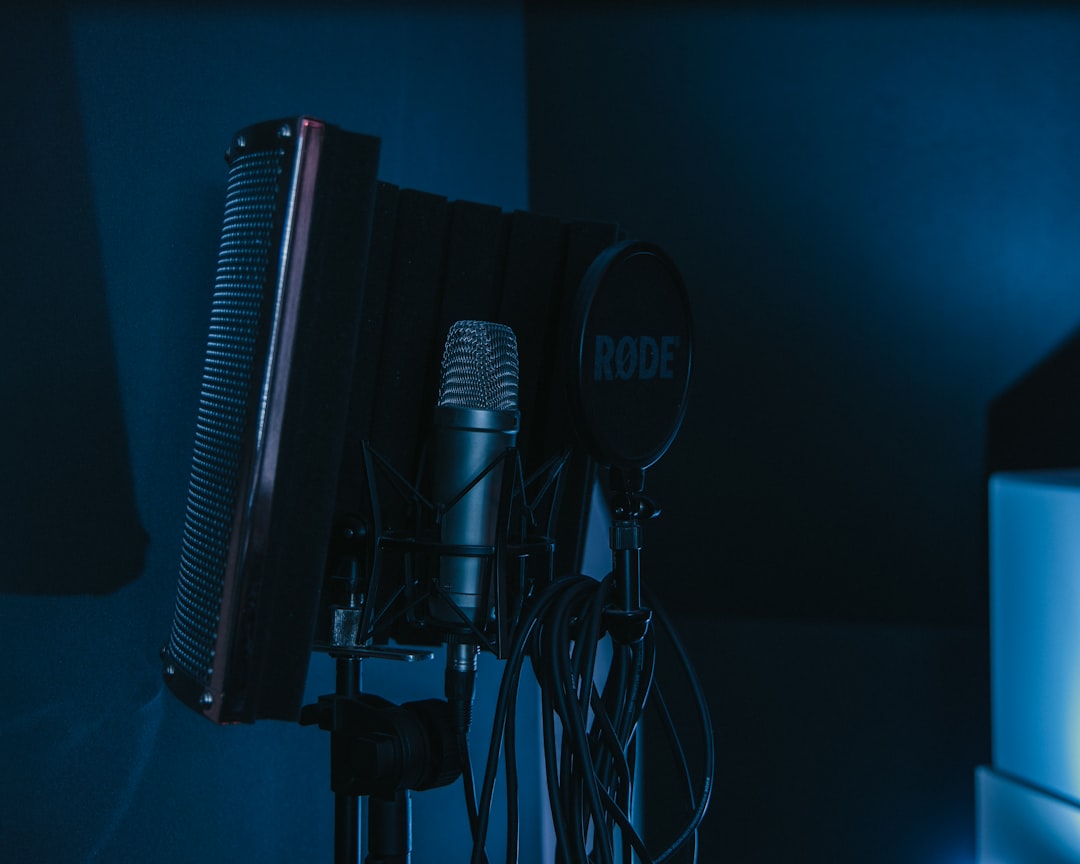
The short version of Blue Yeti vs SM7B: the Blue Yeti is a plug-and-play USB condenser that gets you recording in minutes, while the Shure SM7B is a professional XLR dynamic mic that needs an interface (and usually extra gain) but rewards you with broadcast-grade sound. They aren’t really the same class of product, so the right pick depends on your budget, your setup, and how far you want to grow.
Violet Recording is reader-supported — we may earn a commission from links on this page, at no extra cost to you.
Quick answer: Blue Yeti vs SM7B
- Choose the Blue Yeti if you want one cable into your laptop, no interface, and a low cost of entry for podcasting, streaming, or voiceover.
- Choose the Shure SM7B if you already have (or will buy) an audio interface, want the smoothest, most professional voice tone, and care about rejecting room noise.
What each microphone is
The Blue Yeti is a USB condenser microphone. It connects directly to a computer over USB, has a built-in headphone jack for zero-latency monitoring, and offers multiple selectable polar patterns (cardioid, omni, bidirectional and stereo). Because it’s a side-address condenser, it’s sensitive and picks up detail — including room reflections and background noise. If it’s the convenience of USB you’re after, it sits among the best USB microphones for fuss-free recording.
The Shure SM7B is an XLR dynamic microphone built for broadcast and vocal work. It’s the mic you’ve seen on countless podcasts and radio shows, and we cover it in depth in our Shure SM7B review. Being dynamic, it’s far less sensitive to room sound, but it has a low output level, so it typically needs a clean, high-gain preamp or an inline gain booster to drive it properly.
Connection and setup
This is the biggest practical difference. The Yeti needs nothing but a USB port — it’s its own interface. The SM7B is analogue and requires an audio interface with an XLR input, plus enough gain. If you’re weighing the trade-offs of going USB versus XLR, our guide to USB mics vs an audio interface walks through it. The SM7B is a dynamic mic, so it does not need phantom power to work, though some inline preamps that boost it do.
Sound and noise rejection
As a condenser, the Yeti captures a bright, detailed sound and is genuinely good for the money, but its sensitivity is a double-edged sword: in an untreated room it will pick up keyboard clatter, fans and echo. The SM7B’s dynamic capsule and tight cardioid pattern reject far more off-axis and background noise, which is why it flatters voices in imperfect rooms. If you understand why these capsules behave differently, read condenser vs dynamic microphones and microphone polar patterns explained.
The gain question with the SM7B
It’s worth spelling this out, because it’s where most disappointed SM7B owners go wrong. The SM7B is a low-output dynamic, so it asks a lot of your preamp — far more gain than a condenser or a USB mic needs. On a budget interface, you may find yourself turning the gain control most of the way up just to reach a healthy recording level, and at those settings the interface’s own preamp hiss can become audible behind your voice. If preamps are new territory, our explainer on what a microphone preamp is makes sense of why gain quality matters so much here.
There are two common solutions. The first is an inline gain booster, a small device that sits between the mic and the interface and adds a chunk of clean gain so your interface can run at a comfortable, quieter setting. The second is simply pairing the SM7B with an interface or preamp that already has plenty of clean, quiet gain on tap. Either way, the takeaway is the same: budget for the gain, not just the mic. The Yeti sidesteps this entirely because its gain stage is built in, which is part of why it’s so beginner-friendly.
Pros and cons
| Blue Yeti | Shure SM7B | |
|---|---|---|
| Connection | USB, plug-and-play | XLR, needs interface |
| Gain needs | Self-contained | High; often needs a booster |
| Room tolerance | Picks up the room | Rejects the room well |
| Polar patterns | Multiple | Cardioid |
| Best for | Beginners, fast setup | Pro voice, growth |
How to choose between them
Rather than starting from the mic, start from your situation and let it point you to the answer:
- Your budget is the whole budget. If the money you have has to cover everything, the Yeti wins on value because it needs no interface, no cables and no booster. With the SM7B you’re buying a system, not just a mic.
- Your room is noisy or untreated. Thin walls, a humming computer, a reflective room — this is where the SM7B’s noise rejection earns its keep and the Yeti struggles most.
- You want to keep your gear for years. The SM7B is a mic professionals still use after a decade, and once you own an interface it slots into a setup you can keep expanding.
- You value simplicity over everything. If you just want to plug in and talk, the Yeti’s single USB cable is hard to beat.
Common mistakes to avoid
Whichever you choose, a few avoidable errors undo most of the difference between these mics:
- Speaking too far away. Both mics sound best up close. Backing off the mic raises the room in the mix and, with the SM7B, forces you to crank gain you don’t have.
- Ignoring the room. Even the SM7B benefits from a calmer space. A little acoustic treatment does more for clarity than swapping mics.
- Under-powering the SM7B. Pairing it with a weak preamp and no booster is the single most common cause of thin, hissy SM7B recordings.
- Recording the Yeti too hot. Because it’s sensitive, set its gain conservatively and watch your levels, or loud passages will distort.
Which should you choose?
For a first-time podcaster or streamer with no other gear, the Blue Yeti is the sensible start — it’s affordable and instant. For anyone serious about voice quality who already owns or plans to buy an interface, the SM7B is the long-term winner and a mic you won’t outgrow. If you record in a noisy, untreated space, the SM7B’s noise rejection alone can be the deciding factor. Either way, a little acoustic treatment improves both.
Frequently asked questions
Does the SM7B need phantom power?
No. It’s a dynamic mic and works without phantom power. What it does need is plenty of clean gain, which is why many users add an inline preamp booster between the mic and interface.
Is the Blue Yeti good enough for professional podcasts?
It can sound professional in a quiet, treated room. Its weakness is sensitivity to background noise, so the better your room, the better it performs.
Can I use the SM7B without an audio interface?
Not directly. It outputs an analogue XLR signal that needs an interface or mixer with a quality mic preamp to convert and amplify it for your computer.
Is the SM7B always better than the Blue Yeti?
Not in every situation. The SM7B has the edge in tone and noise rejection, but only once it’s properly powered. For someone who wants to start recording today with no interface, the Yeti is the more practical choice and can sound excellent in a good room.
Do I need acoustic treatment for either microphone?
It helps both, and it helps the sensitive Yeti most. Even a few panels and some soft furnishings tame reflections and lower the noise floor, so your voice sits cleaner in the recording regardless of which mic you use.



