
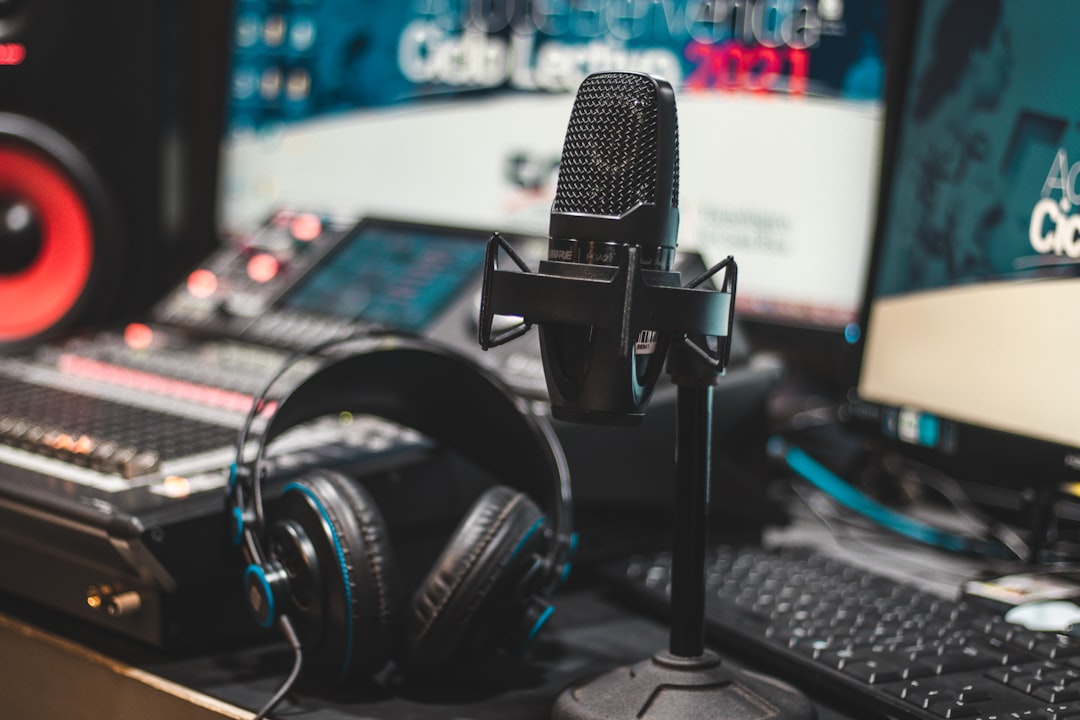
To learn how to record yourself singing, you need a microphone, an audio interface, headphones and a quiet space — then a simple routine: set levels with headroom, monitor on closed-back headphones, and capture a few full takes you can comp later. You can get clean, usable vocals at home without a pro studio. Here is the full walkthrough.
What you need
- A microphone. A large-diaphragm condenser is the popular choice for singing because it captures detail and air. A dynamic mic is a great alternative in noisier rooms.
- An audio interface to power the mic and give clean gain. See how to set up an audio interface. Condensers need phantom power — read what is phantom power.
- Closed-back headphones so the backing track does not bleed into the mic.
- A pop filter and mic stand for consistent positioning and fewer plosives.
- A DAW to record and edit.
How to choose between a condenser and a dynamic mic
The mic decision matters more than almost any other piece of gear, and the right answer depends mostly on your room rather than your voice. A large-diaphragm condenser is sensitive and detailed, which flatters most singing voices — but that same sensitivity means it picks up everything: traffic, the hum of a computer fan, and the reflections bouncing off bare walls. If your space is quiet and you have done a little treatment, a condenser will reward you with an open, airy sound.
A dynamic mic is less sensitive, so it hears less of the room and rejects background noise more forgivingly. That makes it the smarter pick in a noisy flat, a shared house, or an untreated room with hard surfaces. You trade away a touch of high-end sparkle, but you gain a usable, controlled recording you do not have to fight in the mix. Many seasoned home singers keep both and reach for the dynamic when the environment is working against them.
Prepare your space
Sing in the quietest, least reflective spot you have. Soft furnishings, a closet of clothes, or a couple of acoustic panels behind and around you will reduce the boxy room sound that makes home vocals sound amateurish. A little acoustic treatment goes a long way. Turn off fans and noisy electronics.
Set up the microphone
- Distance: start about 15–20cm from the mic, with a pop filter between you and the capsule.
- Height: position the mic at mouth level or slightly above, angled down toward your mouth.
- Polar pattern: use cardioid to reject the room behind you. See polar patterns explained.
- Technique: back off slightly on powerful notes and lean in on quiet phrases to control dynamics. Our vocal mic placement guide has more.
Set your levels
Good levels prevent clipping and noise. Sing your loudest phrase while setting the interface gain and aim for peaks around -6 dBFS, leaving headroom. Record dry — no reverb or effects on the way in. If gain staging is new to you, read gain staging explained.
Monitor yourself comfortably
Use closed-back headphones so the backing track stays out of the mic. If you hear an annoying delay between singing and what you hear (latency), lower your buffer size or use your interface’s direct/zero-latency monitoring. The background on this is in what is audio latency.
Record your takes
- Warm up and do a test pass to confirm levels and tone.
- Record full takes: sing the whole song several times rather than stopping at every slip.
- Comp the best parts: assemble one strong vocal from your best lines across takes.
- Add doubles and harmonies on separate tracks for choruses if you want them fuller. If you are new to stacking parts, our guide on how to layer vocals walks through the workflow.
- Punch in to fix small mistakes instead of re-recording everything.
Get a performance worth keeping
The most common reason home recordings disappoint has nothing to do with gear — it is that the singer is cold, tense, or watching meters instead of performing. Spend five to ten minutes warming up your voice before you press record so your tone is open and your pitch settles. Once you start, try to forget about the technology and commit to the song; a confident, slightly imperfect take almost always beats a cautious, perfect-on-paper one. A few more vocal recording tips can help you coax a stronger performance out of each session.
Buying for a singer rather than recording yourself? Our roundup of gifts for singers and vocalists covers useful gear for home recording and practice.
Sing the whole song through several times so you have options. Recording in full takes preserves the natural flow and emotion of a performance, which is impossible to recreate when you stitch a vocal together one word at a time. Save the line-by-line fixing for the editing stage, and only punch in on a phrase when comping cannot solve it. If you are doubling a chorus, perform each layer fully rather than copying the same take — the tiny natural differences between passes are what make a stack sound wide and rich. Our guide on how to double-track vocals covers this in detail.
Common mistakes to avoid
- Recording too hot. Pushing the gain so peaks hit 0 dBFS leaves no headroom and risks clipping on the loudest notes. Leave room and ride the gain down if needed.
- Printing effects on the way in. Reverb, autotune and compression recorded onto the take cannot be undone. Capture the vocal dry and add effects later in the mix.
- Inconsistent distance. Drifting closer and further from the mic between phrases makes the level and tone jump around. A stand and pop filter give you a fixed reference point.
- Ignoring the room. No amount of EQ fully removes a roomy, hollow recording. Treat the space first; it is the cheapest upgrade you can make.
- Monitoring through open headphones or speakers. Either lets the backing track bleed into the mic. Closed-back headphones keep your takes clean.
Next steps: editing and mixing
After tracking, tidy the timing, fix breaths, and then mix. The essentials are subtractive EQ, gentle compression, and a little reverb or delay for space — start with how to mix vocals and recording vocals at home. For more, see the recording techniques hub.
Frequently asked questions
Can I record singing with just a USB mic?
Yes. A quality USB mic plus closed-back headphones can produce good results for solo singing. An interface and an XLR mic give more flexibility and headroom as you grow, but a USB mic is a fine start.
Why does my voice sound bad in the recording?
Usually it is the room and mic technique, not your voice. Reduce reflections with soft materials, keep a consistent distance, use a pop filter, and set proper levels. Then a basic EQ and compression pass will polish the tone.
How do I stop hearing a delay while singing?
That is latency. Lower your DAW’s buffer size, or switch on your interface’s direct (zero-latency) monitoring so you hear your voice instantly. See our latency guide for the details.
How many takes should I record?
There is no fixed number, but three to five full passes usually gives you enough strong material to comp a convincing lead vocal. Stop once you have covered every section well; recording too many takes leads to fatigue, and a tired voice rarely improves on what you already captured.



