
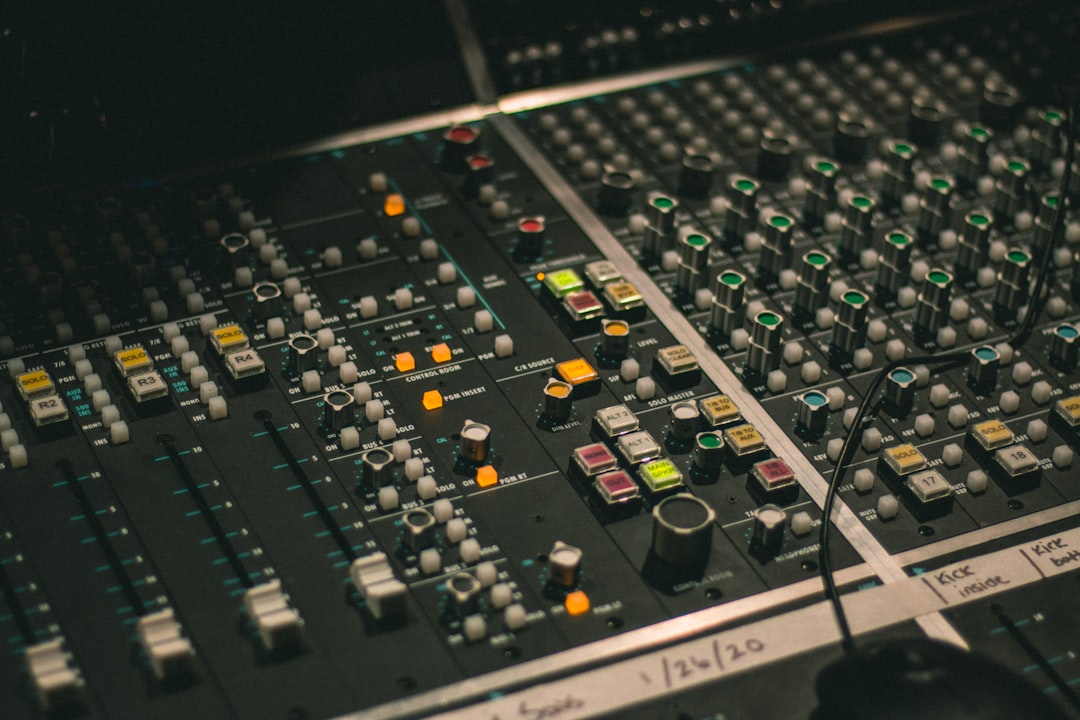
So what is a parametric EQ? It is an equaliser that lets you choose any frequency, boost or cut it, and control how wide or narrow that adjustment is. That third control — the bandwidth, or “Q” — is what separates a parametric EQ from simpler tone controls, and it is why parametric EQ is the workhorse equaliser in nearly every mix.
In plain terms, a parametric EQ gives you three moving parts per band: where you are working (frequency), how much you change it (gain), and how focused the change is (Q). Master those three and you can fix almost any tonal problem in a recording.
Violet Recording is reader-supported — we may earn a commission from links on this page, at no extra cost to you.
The three controls that define a parametric EQ
Every band of a parametric EQ exposes the same three parameters. Understanding what each one does — and how they interact — is the whole game.
- Frequency (Hz): the centre point of the band, anywhere from the deep sub-bass around 20 Hz up to the air at 20 kHz. This is the pitch you are targeting — the boom in a kick drum might live around 60–100 Hz, while sibilance on a vocal sits up near 6–8 kHz.
- Gain (dB): how much you boost (add) or cut (remove) at that frequency. Positive numbers add energy, negative numbers take it away. Most tonal moves in a good mix are modest — a couple of decibels either way.
- Q (bandwidth): how wide a range of frequencies the band affects around its centre. A low Q is broad and gentle, touching a whole region; a high Q is narrow and surgical, acting almost like a scalpel on a single problem tone.
A semi-parametric EQ (sometimes called “sweepable”) gives you frequency and gain but a fixed Q. A fully parametric EQ hands you all three. When people talk about parametric EQ in mixing, they almost always mean the fully parametric kind, because that flexibility is exactly what you want when solving problems.
How parametric EQ differs from graphic and shelving EQ
It helps to see where parametric EQ sits among the other equaliser types you will meet.
A graphic EQ has a row of fixed sliders, each tied to a preset frequency band. It is quick and visual but you are stuck with whatever bands the designer chose — you cannot move them. A parametric EQ, by contrast, lets you place a band exactly on the frequency that is causing trouble, which is far more precise.
A shelving EQ lifts or lowers everything above or below a chosen frequency, like a broad tilt of the tone. Most parametric EQs actually include shelf and filter shapes alongside their bell-shaped bands, so a single modern plugin usually covers all of these. A high-pass filter (also called a low-cut) is the one control you will reach for on almost every track — it rolls away rumble and mud below a set point.
The takeaway: parametric EQ is the most flexible of the bunch, which is why it has become the default. If you want the bigger picture on how EQ works alongside dynamics, our guide to EQ and compression fundamentals is a good companion read.
What is a parametric EQ good for in a real mix?
Knowing the controls is one thing; knowing when to reach for them is another. Here is where a parametric EQ earns its keep day to day.
Cutting problems (subtractive EQ). This is the safest and most common use. If a vocal sounds boxy, a snare rings at an ugly pitch, or a guitar has a harsh edge, you find that frequency and pull it down. Subtractive moves tend to sound natural because you are removing something the ear already found unpleasant.
Shaping tone (additive EQ). A gentle broad boost can add air to a vocal, weight to a bass, or sparkle to an acoustic guitar. Boosts add energy and can build up quickly across a mix, so use them sparingly and with a wider Q for a more musical result.
Carving space for instruments. When two sounds fight for the same range — say a bass guitar and a kick drum both crowding the low end — you can cut one slightly where the other needs room. This “complementary EQ” is how busy mixes stay clear.
Cleaning up the low end. A high-pass filter on vocals, guitars and other non-bass tracks removes rumble, plosives and mud you did not even realise was there, tightening the whole mix. Vocalists especially benefit — see our walkthrough on how to mix vocals for the full chain.
How to use a parametric EQ step by step
A reliable, beginner-friendly workflow looks like this:
- Listen first. Play the track in the context of the mix, not soloed, and decide what is actually wrong. “Too muddy,” “too harsh,” “no presence” — name the problem before you touch a knob.
- Find the offending frequency. Set a band to a moderately narrow Q, boost it a lot, and sweep the frequency up and down until the problem jumps out and sounds worse. That is your target. This “boost and sweep” trick is the fastest way to locate a specific tone.
- Cut, then widen. Once found, turn that boost into a cut and back the gain off to a sensible amount. Widen the Q until the cut sounds natural rather than hollow.
- Add character if needed. Only after cleaning up should you consider gentle, wide boosts to add air or warmth.
- Check in context and against bypass. Toggle the EQ on and off to make sure you have improved the sound, not just changed it. Watch your levels — boosts raise loudness, and louder usually seems better even when it is not.
Good EQ starts with a clean input, so make sure your levels are sensible before processing — our note on gain staging covers why that matters.
Common parametric EQ mistakes beginners make
A few habits trip up almost everyone at the start. Avoiding them will improve your mixes immediately.
Boosting too much. New engineers reach for big boosts. Trained ones cut more than they boost and keep moves small. If you find yourself adding 8 dB, the problem is usually the recording or the arrangement, not the EQ.
Mixing with your eyes. A spectrum analyser is a helpful reference, but it does not have ears. A dip in the graph is not automatically a problem. Trust what you hear.
Using too high a Q everywhere. Razor-thin bands are for surgical fixes — a stray resonance or feedback tone. For general tone shaping, wider is more musical.
Soloing tracks and over-tweaking. A track that sounds great alone can vanish in the mix. EQ decisions should be made in context, against everything else that is playing.
Ignoring gain matching. Because louder sounds better, always level-match before and after so you are judging tone, not volume.
Where to get a parametric EQ, including free options
Here is the good news: every major DAW already ships with a capable parametric EQ, and it is likely all you need for a long time. Logic’s Channel EQ, Ableton’s EQ Eight, FL Studio’s Parametric EQ 2, Studio One’s Pro EQ and Cubase’s Frequency are all fully parametric and mix-ready out of the box.
If you want a free plugin to use across different DAWs, a few well-known options stand out. TDR Nova from Tokyo Dawn Records is a parametric EQ with dynamic bands, and it is genuinely excellent for the price of nothing. TDR VOS SlickEQ from the same team is a warm, analog-flavoured EQ that is also free. And MeldaProduction MEqualizer gives you a clean, fully parametric interface with a spectrum display at no cost. Any one of these will teach you everything a parametric EQ can do.
When you are ready to move up to premium equalisers with fancier metering, mid/side processing and analog-modelled character, browse the options at a well-stocked plugin retailer like Plugin Boutique, which regularly runs sales and bundles worth watching.
If you are shopping specifically, our roundup of the best EQ plugins compares the paid heavy-hitters, and the best compressor plugins guide covers the dynamics side of the same chain. For a broader map of the mixing craft, start at our mixing and mastering hub.
Frequently asked questions
Is a parametric EQ better than a graphic EQ?
For mixing, yes — a parametric EQ lets you place a band on the exact frequency causing a problem and control its width, whereas a graphic EQ locks you to fixed bands. Graphic EQs still have their place in live sound and quick tone-shaping, but for studio work the precision of parametric EQ wins almost every time.
How many bands does a parametric EQ need?
Most channel EQs offer between four and eight bands, and that is plenty for the vast majority of tracks. You rarely need more than three or four moves on a single sound anyway. If you are stacking many bands on one track, it is often a sign the source needs re-recording or a different plugin, such as a compressor, rather than more EQ.
Should I EQ before or after compression?
Both are valid and each does something different. A subtractive EQ before the compressor removes problem frequencies so the compressor is not triggered by them. An EQ after the compressor shapes the final tone once dynamics are settled. Many engineers use one of each. Our EQ and compression fundamentals guide walks through the order in more detail.



