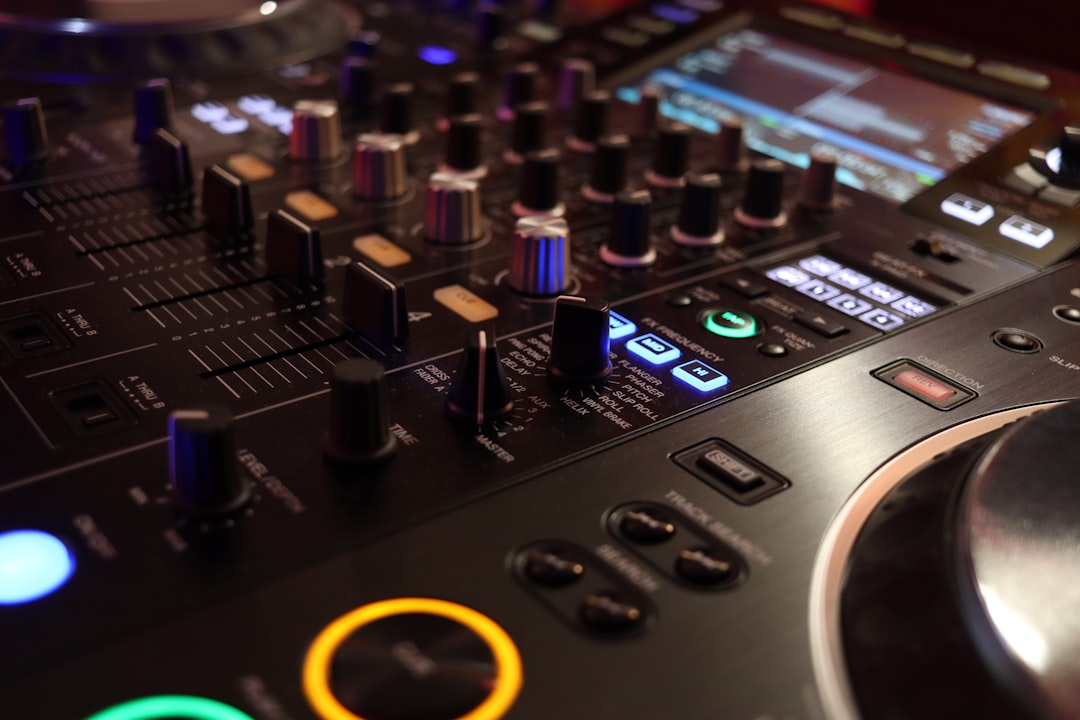
A 4-channel DJ controller lets you mix and layer up to four tracks at once, opening the door to more creative sets, mashups, acapella layering and remix-style performance. It is a step up from the two-deck setup most DJs start on, and it suits players who want more on the table. This guide explains who needs four channels, how to choose one, and what features matter most.
In a hurry? Jump to our DJ gear picks — or read on for the full breakdown.
Violet Recording is reader-supported — we may earn a commission from links on this page, at no extra cost to you.
If you are not sure you need four channels yet, compare with our best 2-channel DJ controllers guide and the wider best DJ controllers roundup. Here we focus on four-channel units.
Do you actually need 4 channels?
Most DJing is two-deck mixing, so be honest about whether you need the extra decks. Four channels are genuinely useful if you want to:
- Layer a third element — an acapella, percussion loop or sample — over a blend.
- Run longer, more complex transitions involving more than two tracks.
- Perform mashup and remix-style sets with several tracks live.
- Grow into a setup you will not outgrow quickly.
If you are still learning beatmatching and clean two-track transitions, a four-channel controller can be more than you need at first. Many DJs start on two channels and move up once they have a clear creative reason. There is no shame in mastering two decks before adding more.
A useful test: if you regularly find yourself wishing you could keep one blend running while cueing something else on top, you are ready for more channels. If that has never happened, the extra decks will mostly sit idle, and your budget is better spent on better jog wheels, a sturdier build or more music.
How to choose a 4-channel DJ controller
Software compatibility
As with any controller, pick your software first — Serato DJ, rekordbox or Traktor — then choose hardware built for it. Traktor in particular has a strong four-deck and remix workflow; see our guide to Traktor. Compare the two biggest platforms in our Serato vs rekordbox guide.
Mixer section and channel layout
Four channels means a bigger mixer. Check that each channel has its own EQ, gain and fader, and that the layout makes sense to you. A cramped or confusing mixer section undermines the benefit of extra channels. Standalone-style mixers like the Pioneer DJM series inform many four-channel controller layouts.
Jog wheels and performance pads
Look for responsive jog wheels and plenty of performance pads for hot cues, loops and samples across all decks. With four decks, fast access to cues and loops becomes even more important.
Build quality and connectivity
Four-channel units are often larger and pricier, so build quality matters. Check the outputs — master, booth and a separate headphone cue — and whether there are inputs for external sources like microphones or extra players, which many larger controllers include.
Size and portability
Four-channel controllers are bigger and heavier than two-channel units. If you gig regularly, weigh the extra capability against the hassle of transporting a larger device.
Key features that matter most
- Independent EQ and gain on all four channels for clean EQ mixing across decks.
- Plenty of performance pads for cues, loops and samples.
- A solid mixer section with usable faders and a good crossfader.
- Booth and master outputs for flexible monitoring at gigs.
- External inputs for mics or extra sources if you play events.
Popular 4-channel controller lines to consider
Capable four-channel controllers come from brands including Pioneer DJ (such as the DDJ-1000 and larger DDJ models), Denon DJ (including Prime-series units), Native Instruments (Traktor Kontrol) and others. Each targets particular software and price points, and specific models change over time, so confirm current specs and software bundles before buying.
- Best all-round 4-channel controller: the Pioneer DJ DDJ-1000 is a popular choice, with full-size jog wheels, on-jog displays and a layout that closely mirrors a CDJ-and-DJM club booth, plus full rekordbox and Serato support.
- Best for creative/remix performance: the Pioneer DJ DDJ-FLX10 adds stems separation and an expanded pad and FX section on top of four channels, giving you more room to rework tracks live. Traktor users will find the Native Instruments Traktor Kontrol S4 a strong equivalent with its remix and stems features.
- Best club-style layout: the Pioneer DJ DDJ-1000 again stands out for translating directly to club gear, while the Denon DJ Prime 4 offers a club-style four-channel layout with the added benefit of running fully standalone without a laptop.
On price: four-channel controllers typically sit well above entry-level two-channel units, and flagship models cost several times more than a starter controller. Expect roughly mid-range to premium pricing across this category, and check current listings before you commit — prices shift with new model releases, and outgoing versions of a line are often discounted while remaining perfectly capable.
Common mistakes to avoid
A few missteps come up again and again with four-channel buyers:
- Buying four channels to skip learning fundamentals. Extra decks do not fix shaky beatmatching or muddy blends — they multiply the ways a mix can fall apart. Get two decks solid first.
- Ignoring the software bundle. Some controllers ship with a limited licence tier, and unlocking full features can cost extra. Check exactly what software and licence level is included before comparing prices.
- Underestimating the footprint. Measure your desk or booth space. A four-channel unit that overhangs the table or forces awkward cabling gets used less than a smaller controller that fits.
- Skipping the layered-audio check. More simultaneous tracks means the low end fills up fast. If you have not practised cutting bass on all but one channel, four decks will sound worse than two, not better.
Getting the most from four channels
Extra decks reward planning. Strong music library organisation and prepared cues let you layer confidently rather than scramble mid-set. Once your gear is sorted, our walkthrough on how to set up a DJ controller covers software, audio and your first mix.
Gain staging matters more with four decks than with two. Every extra channel you open adds energy to the master output, so set each channel’s gain conservatively and watch the master meter as you bring layers in. A practical habit is to build layered sections with the third and fourth channels filtered or with their low EQ pulled down, so the extra elements sit on top of the blend instead of fighting it. Practise bringing one layer in and out cleanly before attempting all four at once.
Care is straightforward: keep the unit covered or bagged when not in use so dust does not work into the faders, avoid drinks anywhere near the mixer section, and use a padded case or bag if you gig — jog wheels and pitch faders are the parts most likely to suffer in transit. A quick check of every fader, knob and pad before each gig takes a minute and catches problems while you can still fix them.
Frequently asked questions
Is a 4-channel DJ controller worth it for beginners?
For most beginners, no — at least not at first. The core skills are two-deck skills, and a four-channel controller adds cost and complexity you may not use early on. If you already know you want to layer multiple tracks or perform remix-style sets, it can be worth starting on four channels.
Can I use just two channels on a 4-channel controller?
Yes. A four-channel controller works perfectly well as a two-deck setup — you simply use two of the channels. This makes it a future-proof option if you expect to grow into the extra decks, provided you are happy with the larger size and price.
What can I do with four channels that I can’t with two?
Four channels let you layer a third or fourth element over a blend — an acapella, percussion loop or sample — run more complex multi-track transitions, and perform live mashups and remix-style sets. Two channels handle standard track-to-track mixing; four open up more creative, layered performance.
Does a 4-channel controller need a more powerful laptop?
Running four decks asks a little more of your computer than two, especially if you use stems, effects and recording at the same time. Most reasonably recent laptops handle it fine, but check the software maker’s current system requirements, close background apps while you play, and test a full four-deck session at home before relying on it at a gig.
Shop related gear
For four-deck mixing and routing: