
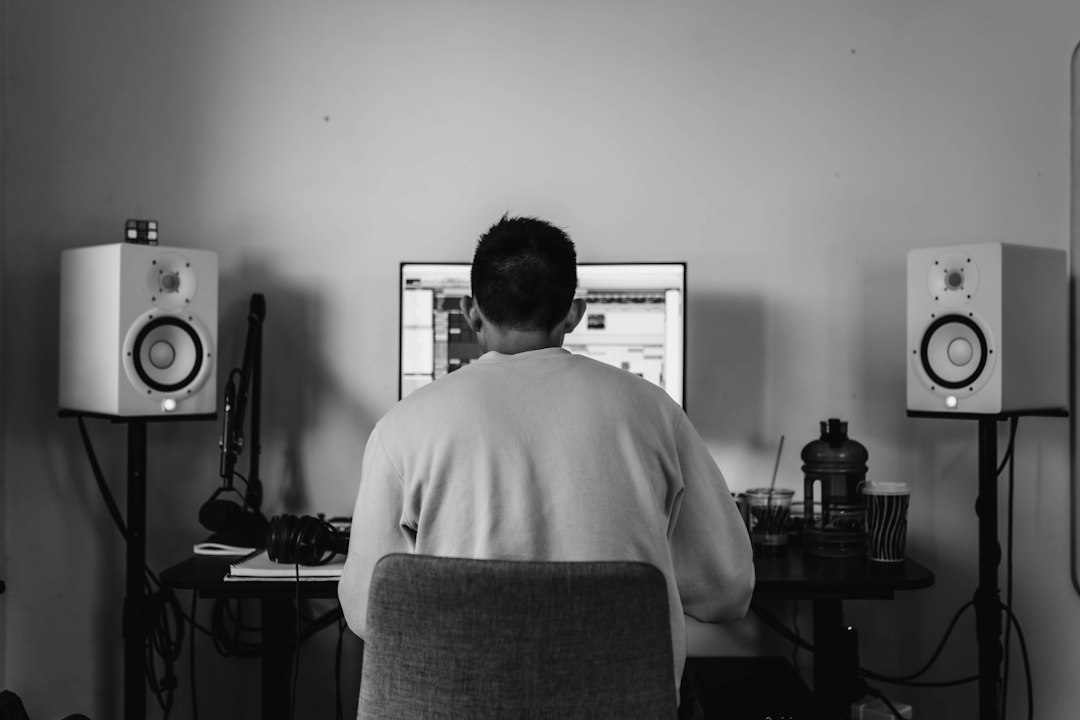
A Mac is one of the friendliest computers for making music, and choosing the best DAW for Mac is mostly about where you are now and where you want to go. Apple gives you two exclusive options, the free GarageBand and the professional Logic Pro, while cross-platform heavyweights such as Ableton Live, FL Studio, Bitwig Studio and Reaper all run natively on macOS too. This guide focuses on the Mac-specific side of the decision: which DAWs only exist on Apple hardware, how plugin formats and Core Audio change the picture, and which pick fits which kind of musician.
If you are still deciding by genre or experience level rather than platform, our guides to the best DAW for beginners and the best DAWs for music production go wider. PC users should head to the best DAW for Windows instead.
What makes a DAW a good fit for macOS
Three Mac-specific details matter more than most buying guides admit:
- Core Audio. macOS has a low-latency audio system built in, so most class-compliant audio interfaces work without a separate driver. You can even combine two devices into an “aggregate device” in Audio MIDI Setup. On Windows, by contrast, you typically rely on a manufacturer’s ASIO driver.
- Audio Units (AU). On a Mac, plugins come as AU, VST3 and sometimes AAX. Logic Pro and GarageBand only load Audio Units, Pro Tools only loads AAX, and most other DAWs load VST3 and AU. Check that your favourite plugins ship in the format your DAW needs.
- Apple silicon. All the major DAWs below now run natively on M-series Macs. Older 32-bit or Intel-only plugins may need updates, or may not load at all, so audit your plugin folder before switching machines.
The best DAW for Mac: our picks
GarageBand
GarageBand comes free with every Mac and is the easiest way to start recording vocals, guitar or MIDI keyboard parts. You get software instruments, a large loop library, Drummer (a virtual session drummer that follows your arrangement) and amp simulation for guitar. Projects open directly in Logic Pro, so nothing you make is wasted if you upgrade. We dig into its limits in is GarageBand good for making music.
Best for: complete beginners and songwriters who want to sketch ideas without spending anything.
- Pros: free, very approachable, solid instruments and Drummer, clean upgrade path to Logic.
- Cons: limited mixing and routing, no full mixer window or aux buses, AU plugins only, Apple devices only.
Logic Pro
Logic Pro is Apple’s flagship DAW and the obvious next step from GarageBand. It is a one-time purchase from the Mac App Store with free updates historically included, and it ships with a huge library of instruments, effects, loops and sounds, including Drummer, Sampler, Alchemy, Flex Pitch and Flex Time. It handles recording, comping and mixing as well as beat-making, and Apple usually offers a lengthy free trial.
Best for: Mac-only songwriters, producers and engineers who want the most value from a single purchase.
- Pros: outstanding included content, great value, tight Apple silicon optimisation, opens GarageBand projects.
- Cons: macOS and iPadOS only, so collaborators on Windows cannot open your sessions; AU plugins only.
Ableton Live 12
Ableton Live 12 is built around Session View, a grid of clips you can trigger and rearrange in real time, alongside a traditional Arrangement View. Its warping, Simpler/Sampler workflow and Max for Live (in Suite) make it a favourite for electronic music, sound design and live performance. It runs on macOS and Windows, so projects travel between platforms. Edition choice matters: Intro and Standard trim instruments and track counts compared with Suite.
Best for: electronic producers and performers who want to improvise with loops and take sets on stage.
- Pros: fast creative workflow, excellent audio warping, cross-platform, huge community.
- Cons: comping and traditional audio editing feel less refined than Logic; the full Suite sits in the premium band.
FL Studio
FL Studio runs on both Windows and macOS, and the same licence covers both. Its step sequencer, Channel Rack and class-leading piano roll make it extremely fast for programming beats and melodies, and Image-Line’s lifetime free updates policy is a genuine selling point. If you are torn between it and Apple’s DAW, read FL Studio vs Logic.
Best for: hip-hop, trap and EDM beatmakers, especially anyone moving between a Mac and a PC.
- Pros: superb piano roll, pattern-based speed, lifetime free updates, cross-platform licence.
- Cons: recording and editing live instruments is less natural than in linear DAWs; the interface takes time to read.
Bitwig Studio
Bitwig Studio combines a clip launcher similar to Ableton’s with a deep modulation system that lets you attach LFOs, envelopes and other modulators to almost any parameter. The Grid, its modular environment, turns the DAW into a sound design playground. It runs on macOS, Windows and Linux, and it sandboxes plugins so a crashing plugin does not take the whole session down.
Best for: sound designers and experimental electronic producers who love modulation.
- Pros: modulation everywhere, plugin crash protection, runs on three operating systems.
- Cons: smaller tutorial ecosystem than Ableton or FL Studio; less suited to large live-band recording sessions.
Reaper
Reaper is the budget champion of serious DAWs. Its licence sits comfortably in the “under $100” band for personal use, the evaluation period is generous, and the download is tiny. It is a full linear recording and mixing environment with flexible routing, and it can be customised with themes, actions and scripts. It runs on macOS, Windows and Linux.
Best for: recording engineers, podcasters and tinkerers who value flexibility over bundled sounds.
- Pros: very affordable, lightweight, endlessly customisable, excellent routing.
- Cons: few built-in instruments, and the default look and menus feel technical for beginners.
Fender Studio Pro (formerly Studio One)
PreSonus Studio One was rebranded as Fender Studio Pro after Fender’s acquisition of PreSonus. It keeps Studio One’s single-window, drag-and-drop workflow, strong comping tools and an integrated mastering page that lets you assemble an album or EP alongside the songs. It runs on macOS and Windows.
Best for: singer-songwriters and bands who record, mix and master in one place.
- Pros: fast drag-and-drop editing, built-in mastering project page, clean interface.
- Cons: the rebrand means some tutorials and forum threads still use the old name, which can confuse newcomers.
Cubase Pro
Steinberg’s Cubase Pro is a long-established all-rounder with excellent MIDI editing, scoring tools, chord tracks and a full set of mixing features. It runs on macOS and Windows and is popular with composers and producers who write with MIDI keyboards. Cheaper Artist and Elements editions trim the feature set.
Best for: composers and MIDI-heavy producers who want deep editing on either platform.
- Pros: superb MIDI tools, mature feature set, scalable editions.
- Cons: dense interface, and the top edition sits in the premium band.
Comparison table
| DAW | Runs on | Mac plugin formats | Price band | Best for |
|---|---|---|---|---|
| GarageBand | macOS, iOS/iPadOS | AU | Free | Beginners, sketching |
| Logic Pro | macOS, iPadOS | AU | Mid-range, one-time | All-round Mac production |
| Ableton Live 12 | macOS, Windows | VST3, AU | Entry to premium | Electronic, live sets |
| FL Studio | macOS, Windows | VST3, AU | Entry to premium | Beatmaking |
| Bitwig Studio | macOS, Windows, Linux | VST3, CLAP | Mid to premium | Sound design |
| Reaper | macOS, Windows, Linux | VST3, AU, CLAP | Under $100 | Recording on a budget |
| Fender Studio Pro | macOS, Windows | VST3, AU | Mid-range | Record, mix and master |
| Cubase Pro | macOS, Windows | VST3 | Premium | Composing, MIDI |
How to choose a Mac DAW
Start free, then upgrade with intent. GarageBand teaches you recording, MIDI, arrangement and basic mixing. When you hit a wall, such as needing sends, more detailed automation or third-party instruments in a proper mixer, that is the signal to move up.
Decide whether you will ever need Windows. If you collaborate with PC users or might switch platforms, a cross-platform DAW such as Ableton Live, FL Studio, Bitwig or Reaper keeps your sessions portable. Logic projects stay on Apple devices.
Match the workflow to your music. Linear, track-based DAWs (Logic, Reaper, Studio Pro, Cubase) suit bands and singers. Clip and pattern-based DAWs (Ableton, Bitwig, FL Studio) suit beatmakers and electronic producers.
Check your plugins and hardware. Confirm AU or VST3 versions exist for the plugins you rely on, and pair your DAW with a reliable interface. A two-input model such as the Focusrite Scarlett 2i2 is class compliant on macOS and covers a vocal and guitar easily; for more options see our best audio interface for Mac guide. A keyboard with good DAW integration, like the Arturia KeyLab Essential mk3 61, makes any of these DAWs faster to play.
Use the trials. Nearly every paid DAW above has a free trial or demo. Spend a week making one complete song in each shortlisted option; the one you finish a track in is usually the right answer.
FAQ
Is Logic Pro better than GarageBand?
Logic Pro is a superset of GarageBand: everything GarageBand does, plus a full mixer, advanced editing, far more instruments and professional mixing tools. GarageBand is perfect for learning; Logic is what you graduate to, and your GarageBand projects open in it.
Can I run FL Studio or Ableton Live on a Mac?
Yes. Both FL Studio and Ableton Live run natively on macOS, including Apple silicon Macs, and both licences let you use the software on either Mac or Windows. Only Logic Pro and GarageBand are exclusive to Apple devices.
Do I need a powerful Mac for music production?
Not to start. Any recent Apple silicon Mac handles typical recording and beat-making sessions comfortably. More RAM helps if you use large sample libraries such as orchestral or piano instruments, and more storage helps if you collect lots of sounds.



