
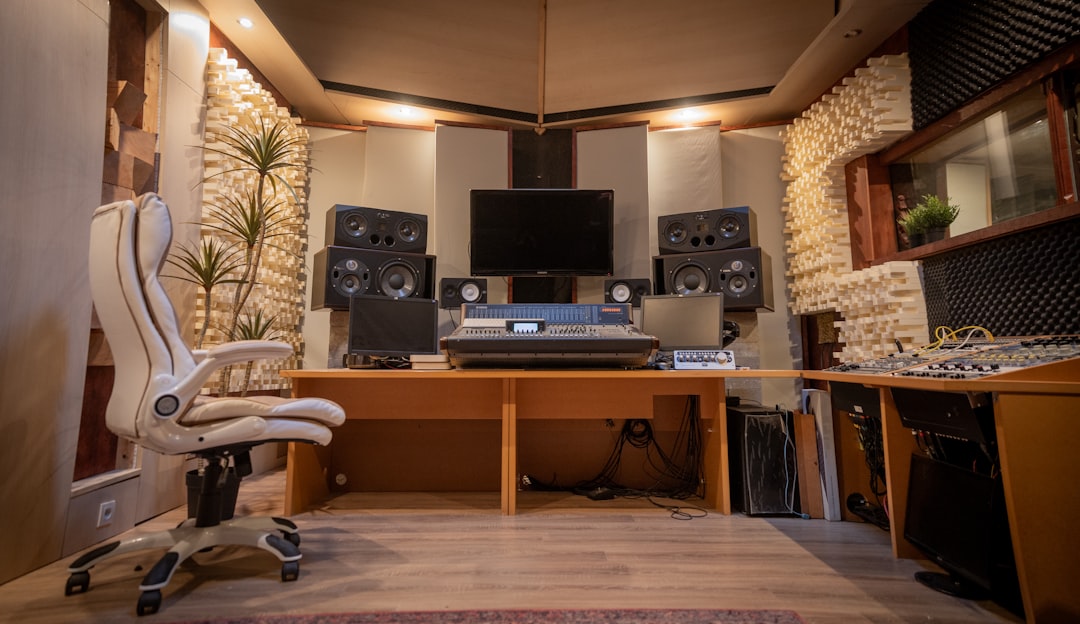
If you just want the short answer: the best DAW for beginners is the one that matches the music you actually want to make, runs on the computer you already own, and won’t punish you every time you want to upgrade. For most first-timers making beats and electronic music that means FL Studio; for anyone on a Mac who wants to spend zero dollars today, GarageBand; and for people who value a lifetime license and a light footprint, Reaper is the quiet dark horse.
Violet Recording is reader-supported — we may earn a commission from links on this page, at no extra cost to you.
The truth nobody selling you a DAW wants to admit is that all of the major ones are good enough to make a hit. The differences that matter to a beginner aren’t the ones the marketing pages shout about — they’re the boring things: how the license works, whether it runs on your OS, how quickly you can get a loop playing, and how much free help exists on YouTube when you get stuck. This guide walks through those trade-offs honestly so you can pick once and stop distro-hopping.
Quick-pick: the best DAW for beginners at a glance
| If you are… | Start with | Why |
|---|---|---|
| Making beats, hip-hop or EDM on a budget | FL Studio | Pattern-based workflow, famous free lifetime updates, huge tutorial pool |
| On a Mac and want to spend nothing today | GarageBand | Free, pre-installed, and a genuine on-ramp to Logic Pro later |
| Performing live, jamming, or building loops | Ableton Live | Session View is the most fun way to sketch ideas; Intro tier is affordable |
| A committed Mac musician recording bands | Logic Pro | One-time price, pro feature set, massive stock sound library |
| Budget-conscious and technically curious | Reaper | Tiny download, endless trial, cheap license, runs on almost anything |
What actually makes a DAW good for beginners
A DAW — digital audio workstation — is the software where you record, arrange, edit and mix your music. Every one of them can do the core job. So when you’re new, don’t get pulled into arguments about sound quality (they all use the same maths under the hood) or which one “the pros use” (the pros use all of them). Judge a beginner DAW on four things instead.
The learning curve to your first finished loop. The best DAW for a beginner is the one that gets a sound playing back in the first ten minutes, because momentum is what keeps you opening the app tomorrow. Pattern-based tools like FL Studio and the clip grid in Ableton‘s Session View are unbeatable here — you click, you hear a beat, you’re hooked. Traditional linear DAWs ask you to understand tracks, regions and the timeline before anything happens, which is a slightly steeper first hill.
The genre you want to make. Software has cultural gravity. Beatmakers and electronic producers cluster around FL Studio and Ableton, so the tutorials, sample packs and preset banks aimed at those genres assume you’re using them. If you’re tracking a live band or singer-songwriter material, Logic Pro and Reaper have the more comfortable recording-focused workflow. Picking the DAW your genre lives in means the next tutorial you watch will match your screen.
How the money works over time. This is where beginners get burned. Some DAWs are a one-time purchase, some are subscription, and the upgrade policies vary wildly. FL Studio’s headline feature is lifetime free updates — buy once, get every future version. Reaper is famously cheap with a discounted license for hobbyists. Logic Pro is a single payment on Mac. Ableton and others sell tiered versions where the cheap “intro” edition may cap your track or device count. We won’t quote today’s numbers here — pricing and tiers change — so check the current figure at the pick link, but do factor the long game, not just the sticker.
Whether it runs on your machine. The fastest way to narrow the field: Logic Pro and GarageBand are macOS-only. FL Studio, Ableton, Reaper and most others run on both Windows and macOS. If you’re on a Windows laptop, GarageBand and Logic are simply off the table, and that’s fine — it makes the decision easier.
The five best DAWs for beginners compared
FL Studio — the beatmaker’s default
FL Studio (still nicknamed “Fruity Loops” by people who’ve been around a while) is the most common first DAW for anyone making hip-hop, trap, or electronic music, and for good reason. Its pattern-and-playlist workflow is intuitive the moment you see it: build a drum pattern in the Channel Rack, drag it into the Playlist, repeat. The Piano Roll is widely considered the best in the business for programming melodies and hi-hat rolls. The single biggest reason to start here, though, is the lifetime free updates policy — you buy a licence tier once and every future version is included, which removes the “will I have to buy this again next year” anxiety that stops so many beginners committing. The trade-off is that FL’s audio-recording and multitrack-tracking workflow is less natural than Logic’s, so if you’re primarily recording live instruments it’s not the obvious first choice. See our full breakdown in the best DAW for hip-hop.
Ableton Live — sketching ideas fast
Ableton Live is built around two views: the familiar linear Arrangement, and the grid-based Session View that lets you trigger loops and clips live, in any order, with no commitment to a timeline. For a beginner, Session View is the single most fun way to start making music — you drop in loops, mute and unmute them, and a track emerges from play rather than planning. It’s the standard for electronic producers and live performers. Live is sold in tiers, and the entry-level Intro edition limits how many tracks and devices you get, so read the current tier comparison before buying so you don’t outgrow it in a month.
Logic Pro — the Mac all-rounder
If you own a Mac and you’re reasonably sure you’ll stick with music for a while, Logic Pro is arguably the best value in the whole category: a professional, do-everything DAW for a single one-time payment, bundled with an enormous library of instruments, loops and effects that would cost a fortune to assemble piece by piece. It handles recording, MIDI, mixing and mastering equally well, so you won’t outgrow it. The only catches are that it’s macOS-only and the feature set can feel like a lot on day one — though GarageBand projects open straight into it, which makes for a gentle upgrade path.
GarageBand — the free Mac on-ramp
GarageBand is free, already installed on every Mac, and far more capable than its “toy” reputation suggests. You can record real audio, program drums, use decent stock instruments and effects, and finish an actual song without spending a cent. Its genius as a beginner tool is the upgrade path: learn GarageBand, and if you outgrow it your projects open directly in Logic Pro with the interface you already half-know. The ceiling is real — no advanced mixing automation, limited plugin handling — but as a place to learn the fundamentals for zero dollars on a Mac, nothing beats it.
Reaper — the cheap, light dark horse
Reaper is the enthusiast’s pick: a tiny download that installs in seconds, runs happily on old or low-spec computers, and comes with a genuinely generous evaluation period plus a heavily discounted license for individuals and small studios. It’s endlessly customisable and a superb, no-nonsense audio recorder, which makes it a favourite for podcasters and people tracking live instruments. The downside for a beginner is that it ships looking plain and comes with fewer built-in sounds than Logic or FL, so you’ll lean on free third-party plugins early — see the best free synth VSTs and the best free drum VSTs to fill it out. If you’re patient and value ownership, it’s brilliant.
Should you just start with a free DAW?
For a lot of beginners, yes — at least at first. There is no shame in learning the fundamentals on something free before spending money, and the skills transfer completely: gain staging, EQ, compression, arrangement and MIDI programming work the same way in every DAW. GarageBand on Mac, the Reaper evaluation on any OS, and the cut-down free or trial editions that most paid DAWs offer are all real ways to learn without a purchase. We keep a running list in the best free DAWs for beginners. The case for paying sooner rather than later is momentum and tutorials: if you already know you want to make trap beats, buying FL Studio on day one means every tutorial matches your screen and you never hit a paywall mid-project. Money spent on the right tool early is rarely wasted; money spent switching DAWs three times because you never committed usually is.
Whichever you choose, remember the DAW is only half the setup. You’ll get far more improvement from learning to stage your gain properly and from a basic grasp of EQ and compression fundamentals than from any software upgrade. And if you’re still assembling the room around the screen, our budget home-studio build guide and the home studio setup hub cover the rest of the chain — interface, monitors, and treatment.
How to choose in five minutes
- Filter by OS. On Windows? Cross Logic and GarageBand off. On Mac? They’re both in play.
- Filter by genre. Beats and electronic → FL Studio or Ableton. Recording live players and songs → Logic, Reaper or GarageBand.
- Filter by budget and licence style. Want zero spend today → GarageBand or a free trial. Want to buy once and never pay again → FL Studio (lifetime updates) or Logic (one-time on Mac). Want cheapest paid licence → Reaper.
- Try before you commit. Almost every option has a free or trial version — install it, spend an evening, and see which one makes you want to come back tomorrow.
- Commit and stop shopping. The learning is worth more than the tool. Pick one and go deep.
Frequently asked questions
What is the easiest DAW to learn for a complete beginner?
GarageBand on Mac is the gentlest start because it’s free, pre-installed, and deliberately simplified — you can finish a song the first evening. On any platform, FL Studio’s pattern-based workflow gets a beat playing faster than a traditional timeline DAW, and its tutorial library is enormous, which makes self-teaching easy. “Easiest” ultimately means the one with the most tutorials for the music you want to make.
Do I need to buy an expensive DAW to make good music?
No. Every major DAW uses the same underlying audio engine quality, so a free or cheap one is not a bottleneck to sound. Professional-sounding records have been made in GarageBand and Reaper. Your ear, your arrangement, and your mixing skills matter far more than the price of the software. Learn the craft first; upgrade only when you hit a wall the tool genuinely can’t get you past.
Can I switch DAWs later without losing my work?
Partly. Your audio recordings (WAV files) and finished bounces move anywhere, and MIDI files transfer between DAWs too. What doesn’t travel cleanly is the project itself — mixer settings, automation and plugin choices are stored in each DAW’s own format. The exception is GarageBand to Logic Pro, which open each other’s projects directly. So switching costs some setup time but never your actual audio; pick with reasonable care and you rarely need to.



