
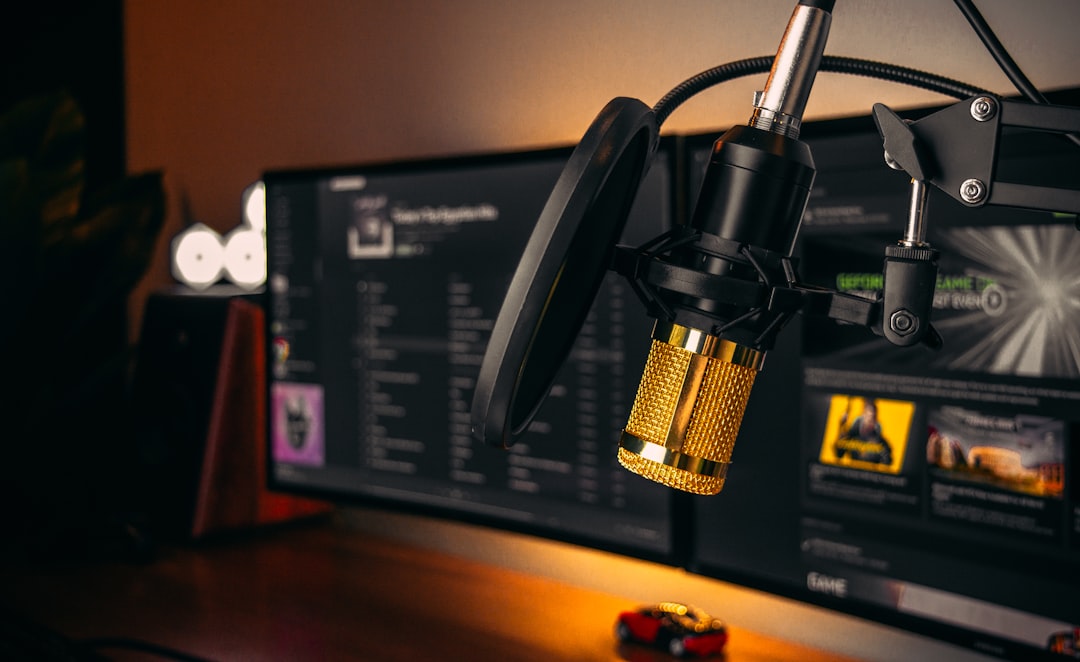
The right microphone for iPhone turns shaky, echoey phone audio into recordings that actually sound intentional — whether you’re filming video, capturing vocals, or recording a podcast on the move. The short version: pick a mic that matches how you record (handheld, mounted on the phone, or on a stand), make sure it uses the right connector for your iPhone, and choose a polar pattern that suits your source. Below we break down how to choose, then leave room for our specific picks.
Quick answer: what to look for in a microphone for iPhone
- Connector: modern iPhones use USB-C; older ones use Lightning. Some mics connect over the 3.5mm jack via an adapter, and others go in through an audio interface.
- Form factor: tiny clip-on lavaliers for talking-head video, shotgun mics that mount on the phone, handheld mics for interviews, or desk mics for podcasts.
- Polar pattern: cardioid for a single voice, omni for lavaliers and ambience, shotgun (supercardioid) for rejecting room noise.
- Wired vs wireless: wireless lavs give you freedom to move; wired mics are cheaper and never drop out.
Connector types: USB-C, Lightning, and the headphone jack
This is the first thing to sort out, because the wrong connector means the mic simply won’t work. Check which port your iPhone has before you buy anything.
- USB-C (iPhone 15 and later): the widest, most future-proof option. Most modern USB mics and many wireless receivers plug straight in.
- Lightning (iPhone 14 and earlier): look for a mic that ships with a Lightning connector or a certified Lightning adapter.
- 3.5mm TRRS: many lavalier and shotgun mics terminate in a TRRS plug that goes into a USB-C or Lightning headphone adapter. Make sure the plug is TRRS (mic + headphone), not plain TRS.
If you want studio-grade results and already own an XLR mic, you can route it through an audio interface instead of a USB mic and connect that to the phone. For a deeper comparison of the two approaches, our guide on USB mic vs audio interface explains the trade-offs.
Match the mic type to how you record
Lavalier (lapel) mics — for video and interviews
A small omnidirectional lav clips to your collar and sits close to your mouth, so it captures consistent, intelligible speech even when you turn your head. Ideal for talking-head video, vlogging, and walk-and-talk interviews. Wireless versions add a transmitter so the phone can be at a distance.
Shotgun mics — for on-camera video with room rejection
A shotgun mounts on or near the phone and uses a tight pickup pattern to focus on what’s in front of it while rejecting sound from the sides. Good for run-and-gun filming where you can’t get a mic close to the subject.
Handheld mics — for interviews and reporting
A dynamic handheld is rugged, forgiving of background noise, and great for field interviews. If you’re choosing between mic types here, our explainer on condenser vs dynamic microphones covers why dynamics shine in noisy, uncontrolled spaces.
Desk / USB mics — for podcasts and voiceover at a desk
If you record sitting at a desk, a cardioid USB or USB-C mic on a stand gives you the cleanest, fullest sound. For podcast workflows specifically, see our walkthrough on how to record a podcast at home.
How to choose the best microphone for iPhone
Work through these criteria in order — they matter roughly from most to least important for phone recording.
- Confirm the connector. USB-C, Lightning, or a TRRS adapter. Get this wrong and nothing else matters.
- Pick the polar pattern. Cardioid for one voice at a desk, omni for lavaliers, supercardioid/shotgun for rejecting room noise. If patterns are new to you, read microphone polar patterns explained.
- Decide wired or wireless. Wireless is freeing but needs charging and can drop out; wired is reliable and cheaper.
- Mind the recording environment. Untreated rooms are reflective. A directional mic placed close to the source helps, and basic acoustic treatment for home studios makes a bigger difference than most gear upgrades.
- Think about monitoring. Some iPhone mics and adapters include a headphone pass-through so you can hear yourself while recording — useful for catching problems live.
- Check the app. The stock Camera and Voice Memos apps work, but apps that let you set levels and monitor input give you far more control.
Setup tips for cleaner iPhone recordings
- Get the mic close. Halving the mic-to-source distance is one of the simplest ways to improve clarity and beat down room noise.
- Use a windscreen outdoors. A foam cover or furry “dead cat” stops wind rumble and plosives from ruining takes.
- Turn on Airplane Mode while recording to avoid call and notification interference.
- Set levels conservatively. Aim for peaks short of the top so you don’t clip. Recording technique like proper gain staging applies on a phone too.
- Record in a quiet, soft space when you can — a room with curtains, a sofa, and a rug sounds far better than a bare, tiled one.
For more on building out a mobile-friendly recording kit, browse the full microphones category for related guides and comparisons.
Compared at a glance
| Pick | Why it stands out |
|---|---|
| Rode Wireless GO II | The Rode Wireless GO II is a compact clip-on wireless system that is very popular with mobile video creators, with a… |
| Rode smartLav+ | The Rode smartLav+ is a wired omnidirectional lavalier designed to plug into a phone’s TRRS input, and it is a… |
| Rode VideoMic Me-C / Me-L | The Rode VideoMic Me series is a compact shotgun mic made to mount directly on a phone, with USB-C (Me-C) and… |
| Shure MV88+ Video Kit | The Shure MV88+ is a digital condenser mic that connects to an iPhone via USB-C or Lightning and is often sold as a… |
| Audio-Technica AT2020USB-X | The Audio-Technica AT2020USB-X is a cardioid USB-C condenser that plugs straight into a modern iPhone’s port for… |
Full picks and details below.
Our picks: the best microphones for iPhone
Best wireless lavalier for video
For creators who film talking-head or walk-and-talk content and want freedom to move without a cable, a clip-on wireless lav with a receiver that plugs into your iPhone’s port is the most flexible choice.
Rode Wireless GO II
The Rode Wireless GO II is a compact clip-on wireless system that is very popular with mobile video creators, with a transmitter that doubles as a clip-on mic and a receiver that connects to a phone via the right cable. It offers onboard recording as a backup, dual-channel capability for two-person shoots, and a generous wireless range. It is a flexible choice for talking-head and walk-and-talk content where freedom to move matters.
Best wired lavalier on a budget
For a reliable, no-fuss lapel mic that never drops out and costs a fraction of a wireless system, a wired omni lav with a TRRS or USB-C connector is hard to beat for vlogging and interviews.
Rode smartLav+
The Rode smartLav+ is a wired omnidirectional lavalier designed to plug into a phone’s TRRS input, and it is a long-standing budget favourite for mobile creators. It clips to a collar near the mouth for consistent, intelligible speech, never drops out, and costs a fraction of a wireless system. It is a great no-fuss pick for vlogging and interviews where you are filming close to the phone.
Best shotgun mic for on-camera filming
For run-and-gun video where you can’t get a lav on your subject, a phone-mounted shotgun with a tight pattern keeps the focus on what’s in front of the lens.
Rode VideoMic Me-C / Me-L
The Rode VideoMic Me series is a compact shotgun mic made to mount directly on a phone, with USB-C (Me-C) and Lightning (Me-L) versions to match your iPhone’s port. Its directional pattern focuses on what is in front of the lens while rejecting some of the sound from the sides, and many versions include a headphone pass-through for monitoring. It is a practical choice for run-and-gun filming where you cannot get a mic close to the subject.
Best handheld mic for interviews
For field reporting and interviews in noisy spots, a rugged dynamic handheld is the practical pick.
Shure MV88+ Video Kit
The Shure MV88+ is a digital condenser mic that connects to an iPhone via USB-C or Lightning and is often sold as a kit with a stand and clamp, making it handy for handheld interview and field use. It pairs with Shure’s recording app for level control and adjustable patterns, and it is rugged enough for run-and-gun work. It suits creators capturing interviews and on-the-go reporting who want more control than a built-in mic provides.
Best USB-C desk mic for podcasts and voiceover
For recording at a desk where sound quality matters most, a cardioid USB-C mic on a stand delivers the fullest, cleanest voice.
Audio-Technica AT2020USB-X
The Audio-Technica AT2020USB-X is a cardioid USB-C condenser that plugs straight into a modern iPhone’s port for desk recording, delivering a clean, detailed voice. It includes onboard touch mute, a headphone jack with monitoring, and a gain control, so you can set levels and hear yourself live. It is a strong pick for podcasters and voiceover creators who record at a desk and want the fullest, cleanest sound.
Frequently asked questions
Do I need a special microphone for iPhone, or will any mic work?
You don’t need an “iPhone-only” mic, but you do need one that connects correctly. That means a USB-C or Lightning connector, or a TRRS plug used with the right headphone adapter for your model. An XLR studio mic will only work through an audio interface that connects to the phone.
Is a wired or wireless microphone better for iPhone video?
Wireless lavaliers are best when you need to move around or keep the phone at a distance, but they need charging and can occasionally drop out. Wired mics are cheaper, never lose connection, and are perfect when you’re filming close to the phone or recording at a desk.
If you have decided wireless is the way to go, our dedicated guide to the best wireless microphones for iPhone compares receivers, connectors and battery life in more detail.
Can I monitor audio with headphones while recording on my iPhone?
Sometimes. Many dedicated iPhone mics and some adapters include a headphone pass-through so you can hear your input live, which helps you catch clipping or interference. Using a recording app that shows input levels and supports monitoring gives you the most control.



