
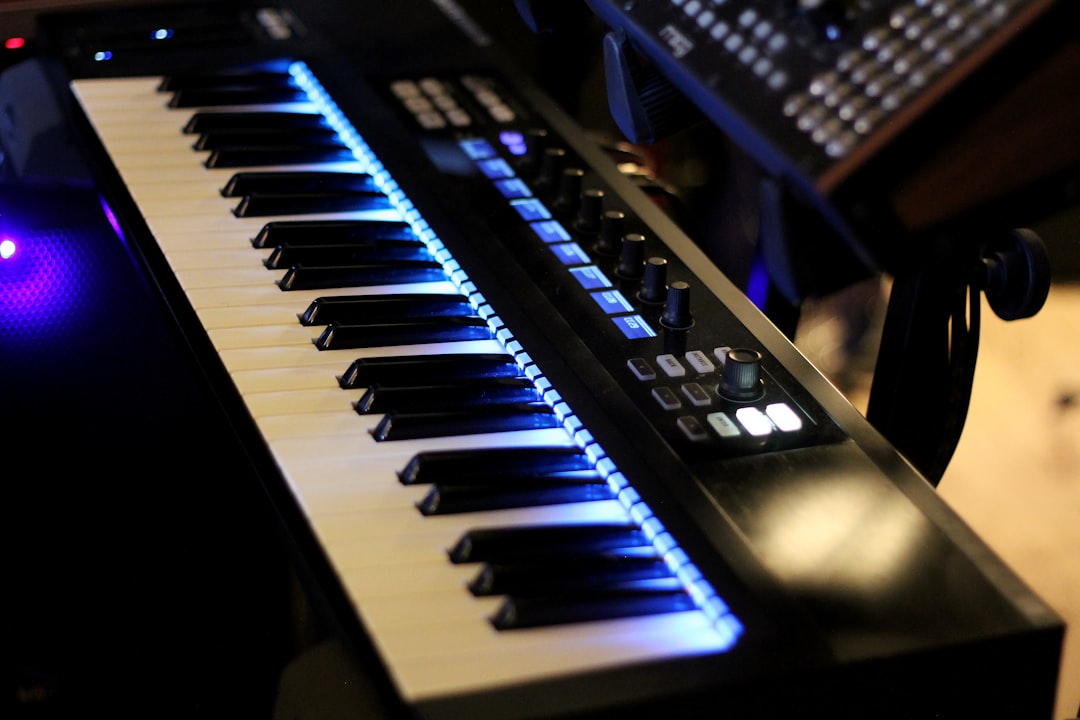
To learn how to make 808 slides, you route your 808 to a monophonic sampler or synth, turn on glide (portamento), place two overlapping notes so the pitch bends from one to the next, and set the glide time until the slide sounds natural. That is the whole trick in one sentence. The rest of this guide unpacks each step so your slides are tight, in key, and hit hard on a real system instead of turning to mush.
Violet Recording is reader-supported — we may earn a commission from links on this page, at no extra cost to you.
What an 808 slide actually is
An 808 slide is the sound of your bass gliding smoothly from one pitch to another instead of jumping in a hard step. You hear it constantly in trap, drill, and modern hip-hop: a low note leans up or down into the next one, and the transition itself becomes a hook. It works because the 808 — a long, sine-heavy sub sample descended from the Roland TR-808 kick — sustains long enough for a pitch change to be musical rather than a click. When you master how to make 808 slides, you turn a static bassline into something that moves with the beat and feels alive under the drums.
What you’ll need
- A DAW — FL Studio, Ableton Live, Logic, or even a mobile beat app.
- An 808 sample loaded into a sampler that supports glide/portamento, or a dedicated 808 plugin.
- One clean 808 one-shot (a single sustained bass note) rather than a pre-baked loop.
- A tuner or your ears to keep the 808 in the key of your beat.
- A reference track in the same genre so you know how hard the slide should sit.
The steps at a glance
- Load an 808 one-shot into a monophonic sampler.
- Tune it to the root note of your song’s key.
- Enable glide/portamento and set the mode to legato.
- Draw two notes that overlap so the second bends out of the first.
- Adjust glide time until the slide sounds musical, not lazy or robotic.
- Shape the tail with volume, distortion, and a high-pass so it stays clean.
How to make 808 slides step by step
Start by loading a single 808 one-shot into your sampler. In FL Studio that usually means dropping the sample onto a channel and using the built-in pitch envelope or a third-party 808 plugin; in Ableton you load it into Simpler and switch it to mono. The critical setting is polyphony set to one voice with glide (also labelled portamento or “porta”) switched on. Glide is the engine of the slide — it tells the instrument to travel smoothly to the next pitch instead of retriggering. Without a monophonic voice, glide has nothing to slide between, so this step is non-negotiable.
Next, set the mode to legato. Legato means the pitch only glides when notes overlap; separate, non-touching notes retrigger normally. This gives you control: notes with a gap between them hit clean and punchy, and only the notes you deliberately overlap will slide. That distinction is what separates a controlled bassline from one where every single note smears into the last.
Drawing the notes so the slide happens
Here is the part beginners miss. A slide needs two notes whose ends and starts overlap. Draw your first note — say a low G. Then draw the target note — maybe the A above it — so that the start of the A sits before the G has finished. Because the voice is monophonic and legato, the instrument can’t play both, so it bends the G up to the A over your glide time. If you leave a gap, you get two separate plucks and no slide. Overlap by even a 16th and the glide kicks in.
The direction and distance of the slide are creative choices. Short slides of a semitone or two feel subtle and vocal; big slides of an octave feel dramatic and are great for track intros or the last bar before a drop. Slide up into an accent for tension, slide down for a heavy resolve. Try placing the slide on the “and” of a beat so it pulls against your kick pattern rather than doubling it.
Setting glide time — the make-or-break knob
Glide time controls how long the pitch takes to travel. Too short and the slide sounds like a hard jump; too long and it drags, arriving at the target note late and out of pocket. There’s no universal number — it depends on your tempo and the interval — so tune it by ear against the drums. A useful habit: shorten the glide until you can just hear the movement, then add a touch back. On fast trap hi-hats a snappy glide keeps things tight, while a slower ballad-tempo beat can carry a longer, more expressive slide. If you want to check your tempo while dialling this in, our free Violet Recording tools include a metronome and BPM finder so the slide lands in time with the rest of the beat.
Keeping your 808 slides in key and in tune
A slide that lands on the wrong note is the fastest way to make a beat sound amateur. Because you’re bending between pitches, both the start note and the target note have to belong to your song’s key. Decide your key first — a minor key like F minor or G minor is common in trap — and keep your 808 notes inside that scale. Many DAWs let you enable a scale highlight in the piano roll so you can’t accidentally draw an out-of-key note.
Tuning the 808 sample itself matters too. Raw 808 one-shots often aren’t tuned to a clean pitch, so drop the sample onto a tuner or match it to a reference sine and correct it until the root reads true. Once the root is right, every note you play from it will be in tune, and your slides will resolve cleanly instead of sounding slightly sour. If you produce mostly on a phone or tablet, the same tuning and glide logic applies — see our roundup of the best beat-making apps for tools that handle 808 pitch on mobile.
Choosing the right 808 and finding sounds
The quality of your slide starts with the quality of your 808. A good slide 808 has a strong fundamental sub, a clean sustained body, and enough length to bend without cutting off. Overly distorted or short samples fight the glide because there isn’t enough sustain to travel across. If your DAW ships with 808s, start there, but building a small library of clean, well-tuned sub samples will pay off fast. When you’re ready to expand, you can grab tuned 808s and slide-ready loops from a subscription service like Splice, which lets you audition sounds in key before you commit.
If you’d rather design your own from scratch, a sine or triangle wave with a pitch envelope and a little saturation gets you a serviceable 808 — a technique worth learning for anyone into sound design. For more free options, our guide to the best free drum VSTs covers plugins that include usable 808s and kicks at no cost.
Mixing 808 slides so they translate
A slide that sounds huge in your headphones can vanish on a phone speaker if you don’t mix it. Because the pitch moves, the fundamental frequency moves with it — an 808 sliding up an octave doubles its frequency, and the low and high ends of the slide won’t hit equally loud on small systems. Add gentle saturation or distortion to generate harmonics so the note stays audible even where the sub itself is inaudible; those harmonics carry the pitch on laptop and phone speakers.
Keep the low end mono and high-pass anything below roughly 30 Hz to clear out inaudible rumble that only eats headroom. Sidechain the 808 lightly to your kick so the two don’t clash on the low end and turn muddy. Finally, watch your levels through the slide — automate a small volume dip on big upward slides so the louder high note doesn’t jump out. If mixing low end is new to you, our EQ and compression fundamentals guide covers the core moves that keep an 808 controlled.
Arranging slides across a full beat
Slides are seasoning, not the whole meal. If every note slides, the ear stops noticing and the bassline loses punch. Program most of your 808 pattern as clean, separated hits that lock with the kick, then reserve slides for moments that matter: the turnaround at the end of a four- or eight-bar phrase, the lead-in to a chorus, or a single signature move that becomes the track’s identity. Think of the slide as punctuation in the groove — used sparingly, it pulls the listener from one section to the next.
Pay attention to song structure while you arrange. An intro might use one long dramatic slide to set the key; verses stay tight and rhythmic; the hook can add a couple of expressive slides to lift the energy. This ebb and flow is what makes a beat feel produced rather than looped. Once you have a beat you like, you can turn that idea into a finished, fully-arranged track fast — Solmi can take a simple beat or hook and build it into a complete original song, which is handy for sketching a full arrangement before you commit hours to it.
When your bassline is done, the same principles of swing and pocket apply to the drums around it. Nudging hats and snares slightly off the grid gives the whole beat human feel, and a slide that lands in that pocket feels intentional. If you’re picking a workflow for this style, our comparison of the best DAW for hip-hop weighs the options, and beginners can start free with our best free DAWs roundup.
Frequently asked questions
Why won’t my 808 slide even though glide is on?
Almost always it’s polyphony or note spacing. The instrument must be monophonic — set to one voice — or glide has nothing to slide between. Then check that your two notes actually overlap in the piano roll; in legato mode the pitch only bends when the target note begins before the previous note ends. Leave a gap and you’ll hear two separate hits with no slide.
What glide time should I use for 808 slides?
There’s no fixed number because it depends on your tempo and the interval you’re sliding. Start short, lengthen until you can clearly hear the pitch travel, then trim it back slightly so the slide arrives on time. Faster beats want snappier glides; slower tempos can carry longer, more expressive slides. Always judge it against your drums, not in isolation.
Do I need a special plugin to make 808 slides?
No. Any sampler with monophonic mode and glide will do it, including the stock samplers in FL Studio, Ableton, and Logic, plus many mobile apps. Dedicated 808 plugins make tuning and slide setup faster and often include ready-made slide presets, but they’re a convenience, not a requirement. The technique — mono voice, legato, overlapping notes — is the same everywhere.



