
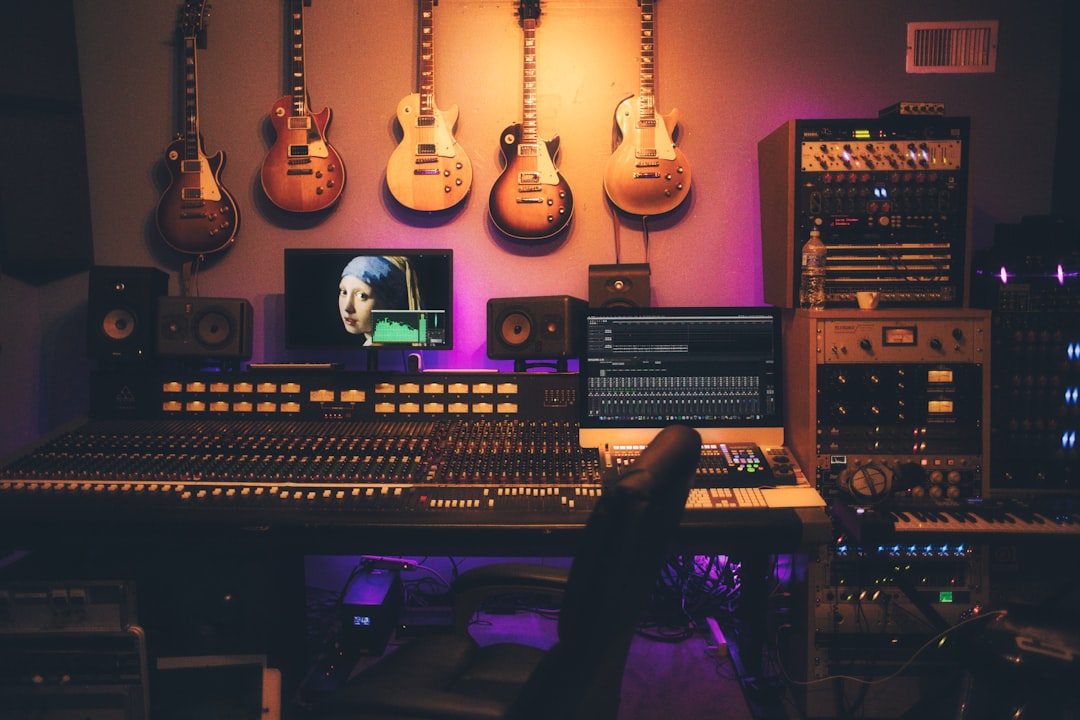
If you want to record guitar into computer software and get a usable, professional-sounding result, the good news is that the whole chain is simpler than it looks. You need an audio interface, the correct input, sensible gain and buffer settings, and a decision about whether to capture a clean direct signal or mic a real amp. Get those four things right and your recordings will sit in a mix cleanly, stay quiet between notes, and give you the flexibility to reshape the tone later. This guide walks through both the direct and miked approaches, the exact levels to aim for, and how to keep latency low enough that the guitar feels responsive under your fingers.
The gear chain: what actually connects the guitar to the computer
Your guitar cannot plug straight into a laptop and sound right. It needs an audio interface, a small box that converts the analog signal to digital and connects over USB. The critical detail is the type of input. A passive electric guitar has a high-impedance output, so it needs an instrument-level (Hi-Z) input, usually the first channel with a guitar icon and a switch labelled Inst or Hi-Z. Plug into a line or mic input instead and the tone turns thin, weak and dull. If you are recording an amp with a microphone, that same interface takes an XLR mic input instead.
Popular starter interfaces such as the Focusrite Scarlett Solo, Universal Audio Volt series, or an SSL 2 all provide a proper Hi-Z input and enough clean gain for a mic. Any of them will do the job; spend your energy on technique rather than chasing the most expensive box.
How to record guitar into a computer: levels and latency
Once connected, the two settings that make or break a take are gain and buffer size. Set your gain so the loudest strums and palm-hit chugs peak around -12 to -6 dBFS. Guitars have sharp transients, so leave that headroom and never let the meter approach 0 dBFS, where the signal clips. A clipped guitar cannot be repaired by any plugin afterward, so err on the quiet side.
Latency is the delay between playing a note and hearing it back through the computer. To keep the guitar feeling immediate, set your DAW buffer to 64 or 128 samples while tracking, which keeps round-trip delay under roughly 6 ms. If you hear clicks and pops, your computer is struggling; raise the buffer slightly or reduce the number of active plugins. When you finish tracking and move to mixing, raise the buffer to 512 or 1024 samples so the computer has room to run heavier processing.
- Record to a click. A metronome keeps timing tight and makes doubling and editing far easier later.
- Change old strings first. The interface captures the guitar exactly, so a dull, out-of-tune instrument records dull and out of tune.
- Monitor through the DAW, not the amp in the room, so what you hear matches what is recorded.
Direct (DI) versus miking a real amp
You have two honest ways to capture electric guitar. The direct method plugs into the Hi-Z input and records a clean, dry signal, which you then run through amp-sim plugins. It is quiet, repeatable, and keeps every tonal option open because you can change the amp model months later without re-tracking. Amp sims such as Neural DSP archetypes, Guitar Rig and Amplitube model amps, cabs and pedals convincingly and let you audition dozens of rigs against one performance.
The miked method points a microphone at a real amp. A dynamic like the Shure SM57 is the classic choice. Place it about 2 to 5 cm (1 to 2 inches) from the grille cloth, aimed at the point roughly halfway between the centre dust cap and the outer edge of the speaker cone. Aiming at the centre gives a brighter, more aggressive tone; moving toward the edge softens the highs. Angling the mic slightly off-axis, around 30 to 45 degrees, tames harshness. Miking captures the real air and speaker interaction but demands a quiet room and a manageable volume.
Cleaning up the tone and fitting the mix
Whether direct or miked, a few habits make guitars sit well. High-pass the track around 80 to 100 Hz to clear room for bass and kick. For heavy rhythm parts, record two separate performances and pan them hard left and right for a wide wall, rather than copying one take, because two genuine passes create real width. If you are using an amp sim, resist stacking more gain than the part needs, since excess gain turns tight chugs into mush, and roll off fizz above roughly 8 to 10 kHz.
A little room treatment helps when miking: a rug on the floor and a soft surface or two behind the amp reduce slap-back reflections that muddy the capture. Our guide on how to mix guitars covers carving space cleanly, and the home recording hub has companion walkthroughs for bass, drums and vocals so the whole production locks together.
Common mistakes when recording guitar to a computer
A handful of avoidable errors account for most disappointing home guitar tracks. The first is using the wrong input, which is worth repeating because it is so common: if the direct sound is thin and lifeless, check that the Hi-Z switch is engaged before you blame the guitar or the interface. The second is chasing level, pushing the gain until the meter kisses red in the belief that hotter is better. It is not; modern converters have enormous headroom, and a peak around -12 to -6 dBFS sounds identical in quality to a hotter signal while leaving you safe from clipping.
Other frequent traps include monitoring the amp in the room while recording a DI, which confuses your ears about what is actually being captured, and forgetting to disarm plugins before bouncing, which can print effects you meant to keep adjustable. When miking an amp, moving the mic even a couple of centimetres changes the tone significantly, so if a mic’d take sounds harsh, nudge the mic toward the speaker’s edge and off-axis before reaching for EQ. Fixing the sound at the source is always faster and cleaner than trying to repair it in the mix afterward.
Learning to record guitar into a computer well is mostly discipline: correct input, guarded headroom, low buffer while tracking, and a clean performance. For free browser-based tuners, metronomes and metering tools to support your sessions, visit the Violet Recording tools hub. Nail those fundamentals and your guitar tracks will sound finished before you add a single plugin.



