
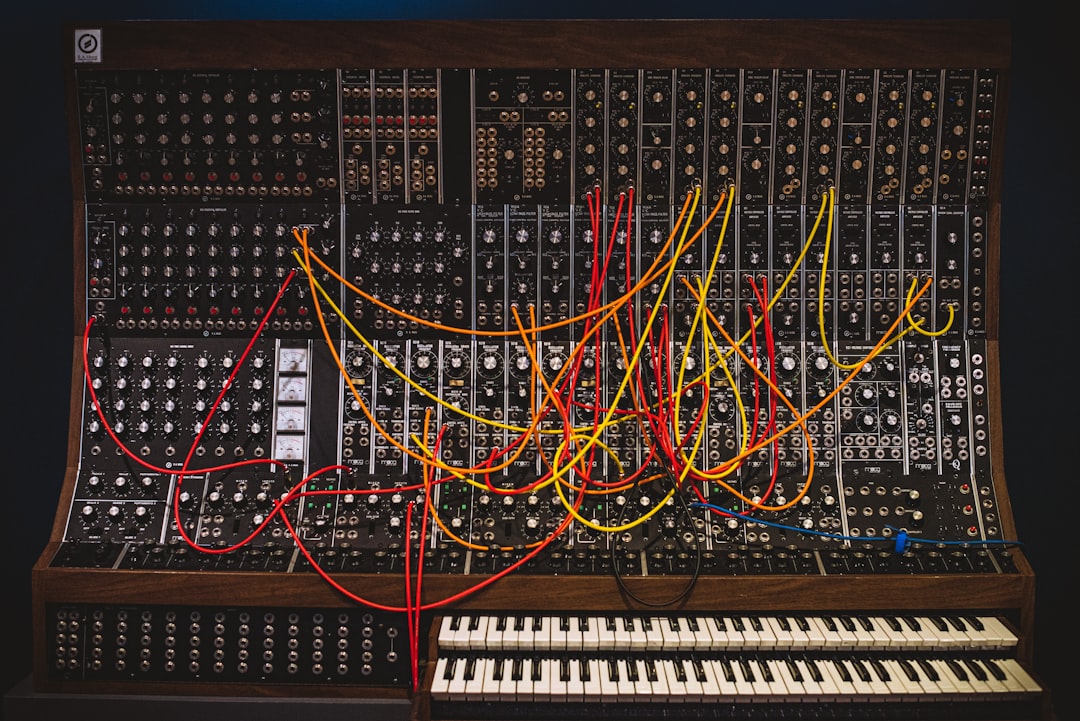
Sound design is the craft of creating, shaping and arranging sounds to serve a piece of music, film, game or app. So when you ask what is sound design, the short answer is this: it’s the deliberate process of building a sound that doesn’t exist yet, or transforming one that does, using synthesis, sampling, recording and effects. A producer designing a bass patch, an engineer creating a laser blast for a sci-fi scene, and a developer crafting a tap sound for an app are all doing sound design.
Unlike playing a preset, sound design means you take control of the raw building blocks of audio and mould them into exactly what a project needs. It sits at the intersection of creativity and technical know-how, and it’s one of the most useful skills a home producer or audio hobbyist can develop.
What is sound design, exactly?
At its core, sound design is making intentional choices about timbre, movement and space. Timbre is the character or “colour” of a sound. Movement is how it changes over time. Space is how it sits in a mix or scene. A sound designer manipulates all three using a handful of core tools:
- Synthesis — generating sound electronically with oscillators, filters and envelopes (synths like Serum, Vital and Ableton’s Wavetable).
- Sampling — taking a recorded sound and reshaping it in a sampler such as Kontakt or Ableton Simpler.
- Recording — capturing real-world sources with a field recorder like a Zoom H-series or Tascam unit.
- Processing — using effects such as reverb, distortion, EQ and modulation to transform raw material.
Where sound design shows up
Sound design isn’t one job — it’s a skill applied across several fields:
- Music production — building basses, leads, pads, plucks and drum sounds so a track has its own sonic identity.
- Film and TV — creating effects, ambiences and textures that the camera can’t capture on its own, often layered with Foley.
- Video games — designing interactive sounds that respond to a player’s actions in real time.
- Apps and products — short, functional UI sounds like notifications and confirmations.
How a sound is actually built
Most designed sounds follow a similar arc, whether they’re musical or cinematic. You start with a source — an oscillator, a sample, or a recording. You shape it with filters and envelopes so it has the right tone and movement. You process it with effects to add character and space. Often you layer several sounds so each one covers a different part of the frequency range or adds a different feel — a skill worth practising on its own, which we walk through in how to layer sounds. Finally you might resample the result — bounce it to audio and treat that as a new raw source to push it even further, a technique we break down in how to resample sounds.
If you’re brand new to the electronic side, it helps to understand the building blocks first. We cover the fundamentals in sound design for beginners, and you’ll want a solid grip on what a sound designer actually does day to day.
Synthesis vs sampling: two routes to a sound
There are two broad approaches. Synthesis generates sound from scratch using waveforms — great for basses, leads and evolving textures because you control everything. Sampling starts from an existing recording — great for realism, texture and happy accidents, because the real world is messier and more interesting than a clean oscillator. Most professional sound design uses both, often in the same patch. If you want to go deeper on the synth route, see how to design sounds with a synth.
The building blocks in a bit more detail
Whichever route you take, a small set of controls does most of the heavy lifting. Understanding what each one actually does is what separates designing a sound from twiddling knobs at random:
- Oscillators set the raw waveform — a sine is pure and round, a saw is bright and buzzy, a square is hollow, and noise is the basis of percussion and wind. The waveform you start from decides how much harmonic content you have to sculpt.
- Filters remove or emphasise frequencies. A low-pass filter is the single most-used tool in sound design: close it to make a sound darker and more distant, open it to make it brighter and more present.
- Envelopes (ADSR) control how a parameter changes from the moment you press a key. Attack, decay, sustain and release shape whether a sound plucks, swells or drones.
- LFOs and modulation add motion by automatically wobbling a parameter over time — vibrato, filter sweeps, tremolo and slowly evolving pads all come from modulation.
- Effects sit at the end of the chain. Reverb and delay create space, distortion and saturation add weight and grit, and chorus or unison widen a sound across the stereo field.
How to choose your first tools
You don’t need everything at once. A sensible starting kit is your DAW, one capable synth and one sampler, plus the stock effects you already own. Pick a single synth and learn it deeply rather than collecting ten you never open — almost every synth shares the same oscillator, filter and envelope concepts, so mastering one teaches you most of the others.
For recording your own sources, a portable field recorder or even a phone in a quiet room is enough to get started; you can clean up and reshape the result later. The most important upgrade is your monitoring, not another plugin, because you can only design what you can clearly hear.
Do you need expensive gear?
No. A laptop, a digital audio workstation (DAW) and a free synth will take you a very long way. Vital and Surge are powerful free synths — we round up more in the best free synths for sound design — Freesound is a huge library of free recordings, and most DAWs ship with capable samplers and effects. A pair of decent headphones-mixing/”>monitors or headphones matters more than any single plugin, because you can only design what you can clearly hear.
Common sound design mistakes to avoid
Beginners tend to trip over the same handful of habits. Watching for these will get you to usable sounds far faster:
- Designing in solo. A sound that’s impressive on its own often disappears or clashes in the full mix. Audition your work in context as early as possible.
- Over-processing. Stacking distortion, reverb and modulation on everything muddies a sound. Reach for one decisive move rather than five small ones.
- Ignoring the low end. Multiple layers all carrying bass frequencies create a muddy, undefined result. Let one element own the sub and high-pass the rest.
- Hoarding presets. Presets are a fine starting point, but pull them apart to see how they were made instead of leaving them untouched — that’s how you actually learn.
- Not managing gain. Heavy processing can push levels into clipping. Keep an eye on your output meter and leave headroom for the mix stage.
Frequently asked questions
Is sound design the same as music production?
No, but they overlap. Music production covers arranging, recording, mixing and mastering a whole track. Sound design is specifically the part where you create or shape the individual sounds. A producer who designs their own patches is doing sound design as one stage of production.
Do I need to know synthesis to do sound design?
It helps a lot, but it’s not the only path. You can design sounds entirely from recordings and samples using a sampler and effects. That said, learning basic synthesis — oscillators, filters, envelopes and LFOs — unlocks far more control and is well worth the time.
Can I learn sound design at home?
Yes. Sound design is almost ideal for home learning because everything you need runs on a normal computer. Start with a free synth, recreate sounds you like by ear, and learn one technique at a time. Our guide on how to get into sound design lays out a practical first path.
How long does it take to get good at sound design?
You can build usable sounds within a few weeks of focused practice, but developing a reliable instinct for timbre and movement takes months of steady work. The fastest route is reverse-engineering sounds you admire: pick a patch you love, work out which oscillator, filter and envelope choices created it, and rebuild it from scratch.
Need sound design done rather than explained? Our sound design services match your film, game or brand video with a vetted designer, free.



