
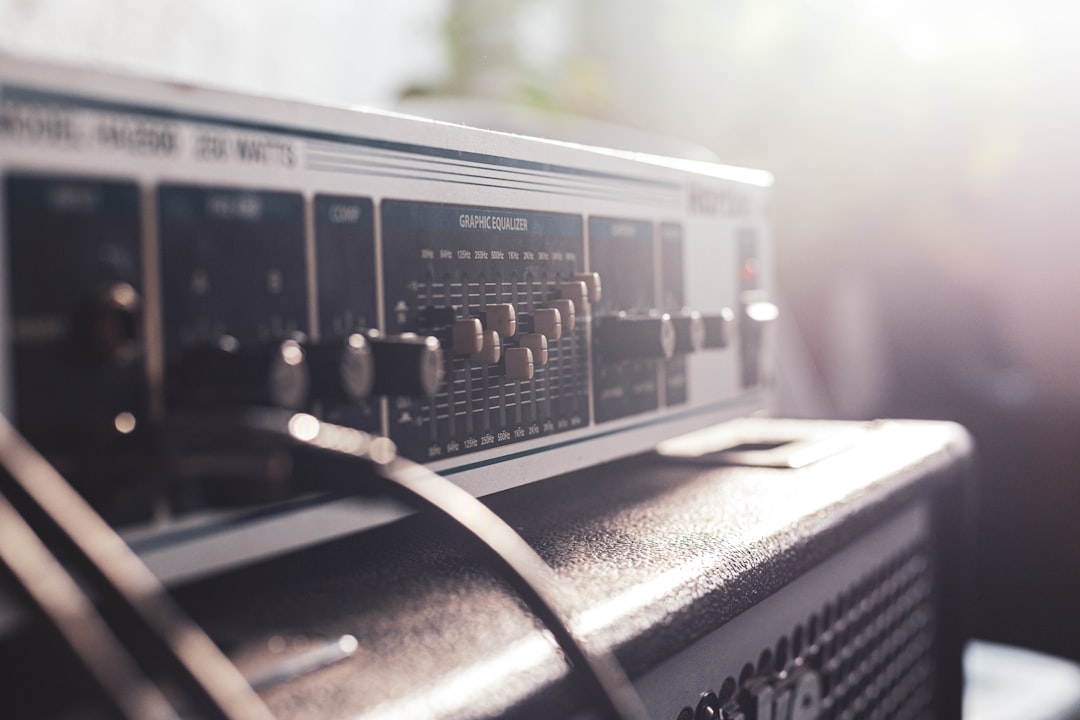
Setting up a home guitar recording rig is simpler than it looks: you need an audio interface, a DAW, an amp sim (or a real amp and mic), and a way to monitor without latency. With those four pieces you can record professional-sounding guitar in a bedroom. This guide walks through the gear, the signal flow, and the settings that make it all work.
What a home guitar recording rig needs
- An audio interface with a high-impedance instrument input — see the best audio interfaces for guitar.
- A DAW (Reaper, Logic, Ableton, Studio One, or a free DAW).
- An amp tone source: an amp sim plugin, a hardware modeler, or a real amp you can mic.
- Headphones or monitors for low-latency monitoring.
- Good cables and, optionally, a DI box for the cleanest capture.
Step 1: connect the interface
Install your interface’s drivers, plug it in over USB, and select it as your audio device in the DAW. On the interface, plug your guitar into the front-panel instrument (Hi-Z) input and switch that input to instrument mode if it has a button. Using a line or mic input instead will make your guitar sound thin and weak. Our audio interface setup guide covers this in detail.
A quiet, reliable lead from guitar to interface matters too, and our guide to the best guitar cables and patch cables covers what to look for.
Step 2: set your levels
Play your loudest and set the input gain so the meter peaks comfortably below clipping — leave plenty of headroom, since digital clipping on the way in can’t be undone. Aim for a healthy signal that never touches the top. Our gain staging guide explains why headroom matters more than raw loudness.
Step 3: tame latency
Latency is the lag between playing and hearing the processed sound. Set a small buffer size (often 64 or 128 samples) while recording so the amp sim feels responsive. If you get clicks and pops, raise the buffer for mixing, where latency doesn’t matter. See audio latency explained for the full picture.
Step 4: choose your tone source
Amp sims (easiest at home)
Load an amp sim plugin on your guitar track and you have a full amp, cab, and effects rig in software. Strong paid options include Neural DSP’s Archetype plugins, STL Tones, Positive Grid Bias FX 2, IK Multimedia Amplitube, and Native Instruments Guitar Rig. Excellent free options include Ignite Amps’ Emissary into the NadIR cab loader, and Neural Amp Modeler (NAM). Our best guitar amp sims and best free amp sims guides will help you pick.
A real amp
If you have an amp and a quiet enough room, mic the cab with a dynamic mic and record the result — our guide on how to mic a guitar cab shows the placements. This commits the tone while tracking.
A hardware modeler
A Line 6 HX Stomp, Boss GT-1000, Neural DSP Quad Cortex, or similar can connect over USB and act as both your tone source and interface. See the best multi-effects pedals for options.
Step 5: record a clean DI alongside
Whenever possible, record a clean DI track at the same time as your monitored tone. A dry DI lets you change amp sims afterwards or reamp through real gear later, so you’re never locked into a tone choice. It’s a free insurance policy on every take.
Step 6: dial in a usable tone
Build your tone the way a real rig works: pick an amp model, set gain and EQ, choose a good cab or impulse response, and only then add drives, delay, and reverb. Less gain than you think usually records better. For a full walkthrough, see how to dial in amp sim tones and our broader guitar tone tips for home recording.
A simple starter signal flow
For most home guitarists, this chain works beautifully and is cheap to assemble:
- Guitar into the interface’s instrument input.
- DAW track armed, recording both a DI and a monitored amp sim.
- Amp sim plugin providing amp, cab, and effects.
- Monitor through headphones at a low buffer size.
That’s a complete, professional-capable rig. As you grow, add a DI box, a reamp box, or a real amp, but none of that is required to start making records today.
How to choose the right pieces for your situation
The gear that suits you depends mostly on your room, your budget, and what you want to record. A few honest questions make the choice obvious:
- Is your room quiet and treated? If neighbours, family, or background noise are a factor, an amp sim through headphones is the practical answer. Micing a real cab needs volume and a controlled room, or the recording captures the room as much as the guitar.
- How much do you want to fiddle with tone? If you would rather audition twenty amp models in five minutes, software wins. If you already love your amp’s sound, micing it commits that tone and saves decision fatigue.
- Are you recording one part or a full band? A single instrument input is plenty for layering guitars one at a time. Only step up to a multi-input interface if you genuinely need to track several sources at once.
- What can you grow into? A simple two-input interface with one good Hi-Z input covers guitar, bass, and a microphone for vocals or amp micing later, so it rarely becomes the bottleneck.
For most people starting out, the cheapest path — a budget interface, a free DAW, and a free amp sim — is not a compromise. It is genuinely capable of finished, release-quality guitar, and you can upgrade individual links in the chain as specific needs appear.
If you don’t own a guitar yet, our guide to the best electric guitar starter kits covers bundles that get the instrument, a small amp and the basic accessories sorted in one go.
Common mistakes to avoid
Most home guitar recordings that sound amateur fail for a handful of repeatable reasons. Knowing them in advance saves hours of frustration:
- Plugging into the wrong input. A line or mic input loads the pickups incorrectly and makes the guitar sound thin and lifeless. Always use the Hi-Z instrument input, with instrument mode engaged.
- Chasing loudness instead of headroom. Pushing the input gain into the red clips the converter, and that distortion is permanent. Track conservatively and make it loud later in the mix.
- Using far too much gain. High-gain tones that feel huge through one guitar turn into an undefined wall of mush when layered. Back the gain off and the parts stay tight and distinct.
- Monitoring at a buffer that is too high. A sluggish, delayed tone wrecks your timing while tracking. Drop the buffer for recording, then raise it again for mixing.
- Forgetting the clean DI. Without a dry signal you cannot reamp or swap amp sims later. Capture it on every take and you keep all your options open.
- Skipping double-tracking. Many recorded rhythm guitars sound wide because they are two separate performances panned left and right; our guide on how to double track guitars shows the technique. One mono take rarely fills the same space.
Frequently asked questions
Do I need a real amp to record guitar at home?
No. An amp sim plugin into an audio interface gives you full amp, cab, and effects tones in software, and the best ones are studio quality. A real amp is great if you have one and a quiet room, but it’s optional.
What’s the cheapest way to get started?
A budget audio interface with an instrument input, a free DAW, and a free amp sim like Ignite Amps Emissary or Neural Amp Modeler. That combination costs very little and is enough to record fully produced guitar.
Why does my guitar sound thin and weak?
Most often you’ve plugged into a line or mic input instead of the high-impedance instrument input, or the input isn’t switched to instrument mode. Use the Hi-Z input, and make sure an amp sim is active on the track rather than a raw clean DI.
Should I record in mono or stereo?
Record each guitar take in mono, since a guitar plugged into one input is a mono source. Width comes from performance, not from the input: track the part twice and pan the two takes left and right, or use stereo effects like delay and reverb on a single mono recording.
Why does my recorded tone sound worse than what I hear while playing?
Usually it is too much gain, too much low end, or a cab and impulse response that sound big in isolation but clash in a mix. Use less gain than feels right, trim some lows with EQ, and choose tones while the rest of your track plays so everything sits together.



