
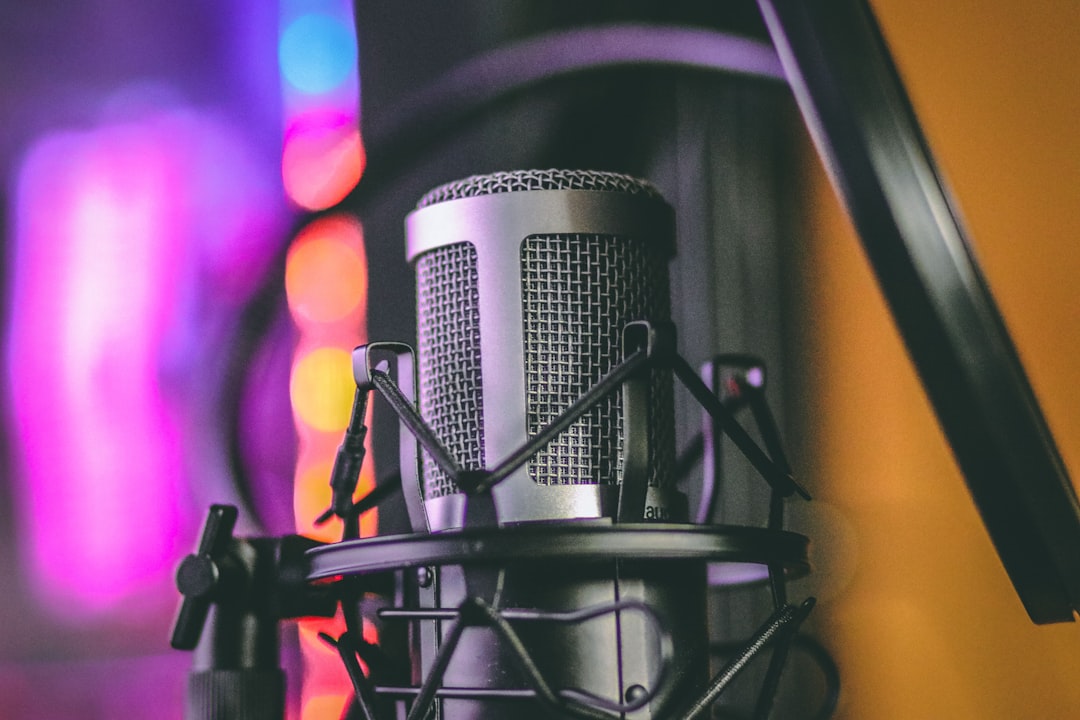
Finding the best microphone under 100 is easier than ever — this budget tier now includes USB mics you can plug straight in and proven XLR condensers and dynamics that rival far pricier gear. Below we cover what actually matters at this price, how to choose, and the real models worth your money for vocals, podcasting and instruments.
Violet Recording is reader-supported — we may earn a commission from links on this page, at no extra cost to you.
How to choose the best microphone under 100
Spend on the things that affect your recording most, and ignore marketing noise. Focus on these:
- Connection type. USB for plug-and-play simplicity; XLR if you have (or will buy) an audio interface. See USB mic vs audio interface.
- Capsule type. Condensers are detailed and great in quiet rooms; dynamics reject background noise. Read condenser vs dynamic microphones.
- Polar pattern. A cardioid pattern is the safe, focused choice for one voice. More on polar patterns.
- Your room. An untreated room favours a dynamic mic. A treated, quiet space lets a condenser shine.
- Power needs. Condensers need phantom power; dynamics don’t.
USB or XLR: which budget path is right for you?
This is the single decision that shapes everything else, so it is worth slowing down on. A USB microphone converts the signal to digital inside the mic and sends it straight to your computer over one cable. There is nothing else to buy, nothing to set up, and very little that can go wrong — which is exactly why it suits a first recording rig, a travel kit, or anyone who simply wants to start talking into a mic today.
An XLR microphone, by contrast, needs an audio interface to handle conversion and preamplification. That is an extra box and an extra cost, but it buys you headroom to grow: better preamps, the option to add a second mic later, and access to the enormous catalogue of professional XLR mics that USB models can never match. If you suspect you will record more than one source at once — two podcast hosts, a singer and a guitar — XLR is the path of least regret.
The clever middle ground is a dual-output mic that offers both USB and XLR on the same body. You start on USB today and switch to an interface the day you outgrow it, without buying a new microphone. Several of the picks below take exactly this approach, which is why they keep turning up in budget recommendations.
Best USB microphone under $100
If you want one cable into your laptop, the Samson Q2U is a standout — a dynamic mic with both USB and XLR outputs, so you can start on USB and move to an interface later without buying a new mic. The Audio-Technica ATR2100x follows the same dual-output formula and is a reliable podcaster favourite. For a versatile multi-pattern condenser, the Blue Yeti Nano is a tidy desktop option in quieter rooms.
Best XLR condenser under $100
For home vocals and acoustic instruments in a quiet, treated space, the Audio-Technica AT2020 is the benchmark budget condenser — neutral, dependable, and easy to mix. The Rode Podmic (a dynamic, not a condenser) is another strong XLR choice if your room is livelier and you want broadcast-style speech.
Best XLR dynamic under $100
The Shure SM58 is the industry-standard vocal dynamic — tough, forgiving, and excellent at ignoring room noise, which makes it a great pick for untreated spaces and energetic recording. If you also record instruments, it is worth understanding how the SM57 and SM58 differ before you choose. For spoken word specifically, the Rode Podmic is purpose-built for podcasts and radio.
Best for podcasting on a budget
For most new podcasters, the Samson Q2U or Audio-Technica ATR2100x hit the sweet spot: dynamic capsules that reject room noise, plus USB-and-XLR flexibility so the mic grows with you. Pair either with the workflow in our guide to recording a podcast at home.
Matching the mic to what you record
The “best” mic under $100 depends heavily on the source. A few quick rules of thumb will steer you to the right capsule and pattern faster than any spec sheet:
- Solo voice or podcast in an ordinary room. Reach for a cardioid dynamic such as the SM58 or a Q2U. Dynamics hear less of the room, so untreated walls, fans and traffic stay in the background where they belong.
- Vocals or acoustic guitar in a quiet, treated room. A condenser like the AT2020 captures the air and detail that make these sources sound expensive, provided the room is not fighting you.
- Two people on one desk. Two dynamics on stands beat one shared mic. Spacing and pattern keep each voice clean and reduce spill between them.
- Loud sources — guitar amps, drums, brass. Dynamics handle high volume without distorting and shrug off the kind of level that can overload a sensitive condenser.
Common mistakes to avoid
Most disappointing budget recordings come down to a handful of avoidable errors rather than the mic itself:
- Sitting too far back. Budget mics sound thin and roomy from across the desk. Move in close — a hand-span or so — and the voice gains body and rejects the room at the same time.
- Skipping a pop filter. A cheap foam or mesh filter tames the plosive blasts on “p” and “b” sounds that no amount of EQ fully fixes afterwards.
- Cranking the gain too high. Chasing volume at the interface or in software amplifies hiss and invites clipping. Set a sensible level with headroom instead — see our notes on gain staging.
- Ignoring the room. A hard, echoey space undermines any mic. A little soft furnishing or basic acoustic treatment behind and around you pays off immediately.
Getting the most from a budget mic
A cheap mic in a good setup beats an expensive mic in a bad one. Mind your mic placement, set sensible gain staging, and add basic acoustic treatment. These three habits do more for your sound than spending another fifty on the mic itself.
Frequently asked questions
Is a USB or XLR mic better under $100?
Neither is universally better. USB is simpler and cheaper to start; XLR scales better and gives you more mic choices. Dual-output mics like the Samson Q2U let you have both.
Can a microphone under $100 sound professional?
Yes. Models like the AT2020 and SM58 are used on real productions. The bigger limits on sound at this budget are usually the room and the technique, not the mic.
Do I need phantom power for a budget condenser?
Yes, condensers like the AT2020 need 48V phantom power from an audio interface. Dynamic mics such as the SM58 and Q2U don’t require it.
Do I need an audio interface for a USB mic?
No. A USB mic plugs straight into your computer and needs no interface. You only need an interface if you move to an XLR mic, which is one reason dual-output models are such a safe first buy.



