
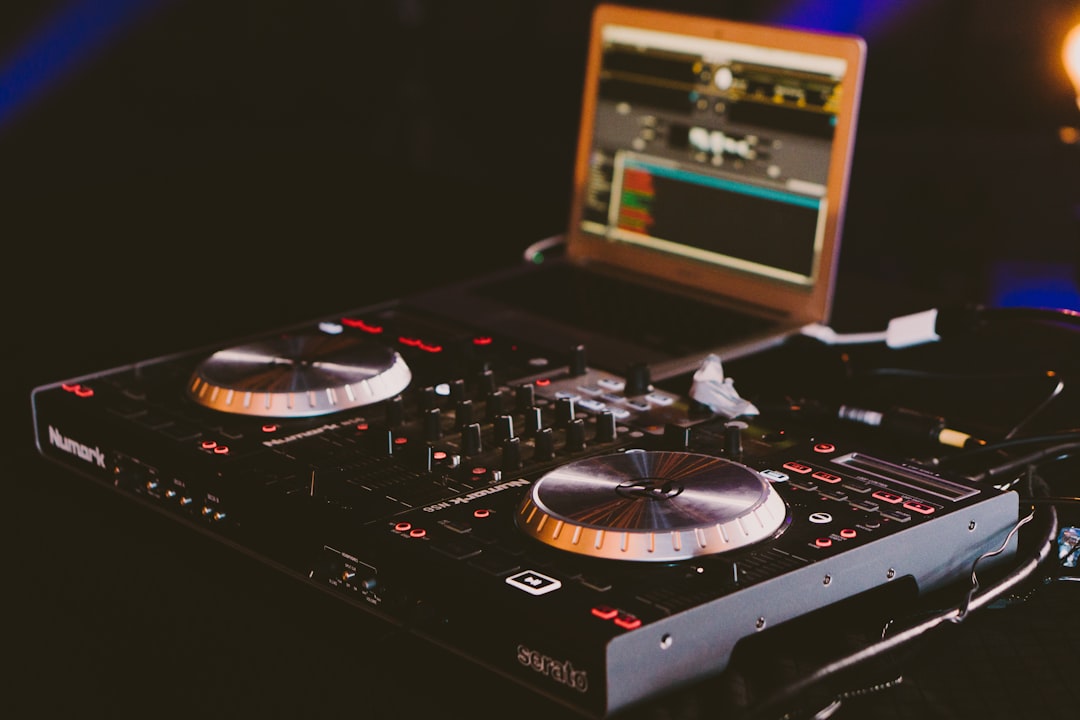
If you want to start DJing without spending a fortune, the good news is that entry-level gear has never been better. A well-chosen budget DJ controller today gives you two decks, real jog wheels, a working crossfader and bundled software — everything you need to learn beatmatching, cueing and simple mixing at home. Below we walk through how to choose, what actually matters at the low end, and the categories where affordable controllers earn their place.
Violet Recording is reader-supported — we may earn a commission from links on this page, at no extra cost to you.
Quick picks: the best budget DJ controllers at a glance
Here is the short version. Each row below points at a category of buyer rather than a single “best for everyone” box, because the right controller depends on which software you want to run and how portable it needs to be. Use the “what to look for” column to narrow your shortlist to the type of unit that fits how you plan to learn and play.
| Category | Best for | Software ecosystem | What to look for |
|---|---|---|---|
| Best overall entry-level | First-time DJs who want the smoothest all-round learning tool | Serato DJ Lite / bundled full licence | A well-built two-channel Serato controller with full-size jogs and a full set of pads |
| Best ultra-cheap / smallest | Tight budgets and DJs who need to travel light | Serato DJ Lite | A compact, bus-powered two-channel unit that still has a real dedicated headphone cue |
| Best for rekordbox users | Anyone planning to move up to club CDJs later | rekordbox | A rekordbox-compatible controller with a club-style layout and hot-cue workflow |
| Best for scratch practice | Turntablists learning cuts and transforms on a budget | Serato DJ | A unit pairing a sharp, responsive crossfader with jogs tuned for cutting |
| Best all-in-one (no laptop) | DJs who want a standalone-style workflow at low cost | Streaming / built-in | A standalone-style unit with USB or music streaming playback built in |
What actually matters in a budget DJ controller
Before you compare model names, it helps to know which specs move the needle at this price and which are marketing. Cheap controllers cut costs somewhere, and knowing where lets you avoid the ones that cut in the wrong place.
Jog wheels. These are the big platters you use to nudge tracks into time and, on some models, to scratch. On the cheapest units the jogs can feel light and plasticky, but even a basic touch-capacitive wheel is enough to learn beatmatching. What you want to avoid is a controller with no real jog wheels at all — some ultra-cheap “DJ pads” replace them with tiny touch strips, and that makes learning proper technique much harder.
Audio output and the headphone jack. The single most important feature for actually mixing is a dedicated headphone output so you can cue the next track in your ears before the crowd hears it. A shocking number of the very cheapest devices leave this out and split a single output instead. If a controller has a proper headphone socket with its own volume and a cue/mix blend, it can teach you real DJing. If it does not, skip it — you will outgrow it in a week.
Build and controls. Look for a real crossfader, dedicated EQ knobs (or at least a filter) per channel, and performance pads for cue points and loops. Metal or dense plastic chassis survive being thrown in a bag; the flimsiest units flex when you press a pad. You do not need premium faders at this level, but you do want controls that will not wobble loose after a month.
Software bundle. This is where budget controllers deliver huge value. Most ship with a free “Lite” tier of Serato DJ or with rekordbox in performance mode, and some include a full paid licence in the box. Because the controller is “made for” that software, plugging it in unlocks the matching version automatically. The software you get shapes everything else, so it deserves its own section below.
How much should you spend?
You can find a usable two-channel controller for surprisingly little, and stepping up a tier usually buys you bigger jogs, more pads, better build and sometimes a full software licence rather than the Lite version. Our advice: spend the least that still gets you two channels, real jogs and a dedicated headphone out. Beyond that, extra money mostly buys durability and room to grow — worth it if you already know you are committed, skippable if you are just testing the water. Street prices shift constantly at this end of the market, so check current retailer listings for the model you settle on rather than trusting any figure that may already be out of date.
Serato vs rekordbox: which software ecosystem to buy into
At the budget end you are really choosing a software family as much as a piece of hardware, so pick the ecosystem first and let it narrow your shortlist. The two dominant platforms bundled with cheap controllers are Serato and rekordbox, and they suit different goals.
Serato DJ Lite is the free tier that ships with a large range of affordable controllers. It is friendly, stable and covers the fundamentals — two decks, sync, a handful of cue points and simple effects. Plug in a supported controller and it activates. Many DJs learn entirely on Lite, then pay to upgrade to the full Serato DJ Pro when they want four decks, more pads and deeper effects. If you value the widest hardware choice and the most tutorial content online, Serato is the safe default. We cover the head-to-head in more depth in our Serato vs rekordbox comparison.
rekordbox is Pioneer/AlphaTheta’s software, and its big advantage is the path it opens. rekordbox is the same library-management system used to prepare music for the club-standard CDJ players you will meet if you ever DJ a venue. Learn on a rekordbox-compatible budget controller and the cue points, hot cues and folder structure you build transfer straight to a real booth. If your ambition is to play out on club gear, buying into rekordbox early saves you re-learning later.
A third path worth knowing: a few affordable all-in-one units run their own onboard system with music streaming or USB playback and need no laptop at all. They trade some depth for a plug-and-play, standalone-style workflow that many hobbyists love.
Where each type of budget controller genuinely wins
No single cheap controller is best at everything, so match the strength to your situation.
- Choose a smallest/ultra-cheap two-channel unit if… your priority is the lowest possible entry cost or maximum portability. These slip into a backpack, run off USB bus power, and are perfect for learning at a desk or practising in a dorm. You give up big jogs and extra pads, but you keep the parts that teach real skill.
- Choose a step-up Serato controller if… you want the best all-round beginner experience — larger jogs, a fuller set of performance pads, and often a full Serato licence bundled so you never hit a paywall. This is the “buy once” option for a committed beginner.
- Choose a rekordbox controller if… you can already see yourself playing in clubs. Learning the rekordbox workflow now means your prep and muscle memory carry over to CDJs. If you are weighing a bigger rig, see our guide to the best 4-channel DJ controllers.
- Choose a scratch-focused unit if… turntablism is the goal. A few budget controllers pair a proper crossfader with responsive jogs aimed at cutting, and they are far cheaper than a turntable-and-mixer setup.
- Choose an all-in-one if… you never want to open a laptop. Standalone-style budget units with streaming built in are the simplest possible way to just play.
Whichever route you take, match the controller’s strengths to the way you actually plan to learn and play, and the rest of the decision gets much easier.
Common mistakes when buying your first controller
A few traps catch nearly every beginner, and avoiding them saves both money and frustration.
Buying on jog size alone. Big platters look impressive, but a well-built small controller with a proper headphone out will teach you more than a large one that skimps on cueing. Function first, size second.
Ignoring the software licence. Two controllers at a similar price can differ hugely once you factor in whether one includes the full paid software and the other only the Lite tier. The bundle is part of the value — count it.
Forgetting the rest of the chain. A controller is only one piece. You will also want decent headphones and, eventually, powered speakers or monitors. If you are still assembling a room, our budget home-studio guide and gear checklist help you spend sensibly across the whole setup rather than blowing the budget on one box.
Over-buying too early. Four decks, dozens of pads and premium faders are wonderful, but a first-timer rarely uses them for months. Start with two channels done well; upgrade when a specific limitation is genuinely holding you back.
Setting up and getting the most from a cheap controller
Once your controller arrives, the workflow is the same across almost every budget model. Install the bundled software, plug in over USB, and it should be detected and licensed automatically. Connect headphones to the dedicated cue output, run the main output to speakers or an interface, and load two tracks. From there it is practice: matching tempos, setting cue points, and blending one track into the next.
Budget controllers are bus-powered, so they draw everything they need from the USB cable — handy for portability, but use a direct port rather than an unpowered hub for a stable connection. If you are routing sound through other studio gear, our primer on setting up an audio interface covers the signal-flow basics that also apply here. And because latency matters when you are cueing and scratching in real time, it is worth understanding what audio latency is and how to keep it low.
The most reassuring thing about starting cheap is that the skills transfer. Beatmatching, phrasing, EQ blends and cue-point discipline learned on a two-channel budget unit apply directly to any bigger controller or club setup you graduate to later. The hardware is just the interface; the technique is yours to keep. For more DJ-focused guides, browse our DJing hub.
Frequently asked questions
Is a budget DJ controller good enough to learn on?
Yes. Any controller with two channels, real jog wheels, a crossfader and a dedicated headphone cue output can teach you every core skill — beatmatching, EQ mixing, cueing and looping. The technique you build transfers to more expensive gear, so an affordable controller is the smart place to start rather than a compromise you will regret.
Do I need a laptop to use a cheap DJ controller?
Most budget controllers do need a computer running the bundled software (Serato DJ Lite or rekordbox), which handles the audio and your music library. A smaller group of affordable all-in-one units are laptop-free, with USB playback or music streaming built in. Decide up front whether you want the software depth of a laptop workflow or the simplicity of standalone play.
Should I choose a Serato or rekordbox controller?
Pick Serato for the widest hardware choice, a gentle learning curve and the most online tutorials. Pick rekordbox if you plan to DJ in clubs, because it uses the same library and cue system as the CDJ players you will find in venues, so your prep transfers directly. Our Serato vs rekordbox breakdown goes deeper on the trade-offs.



