
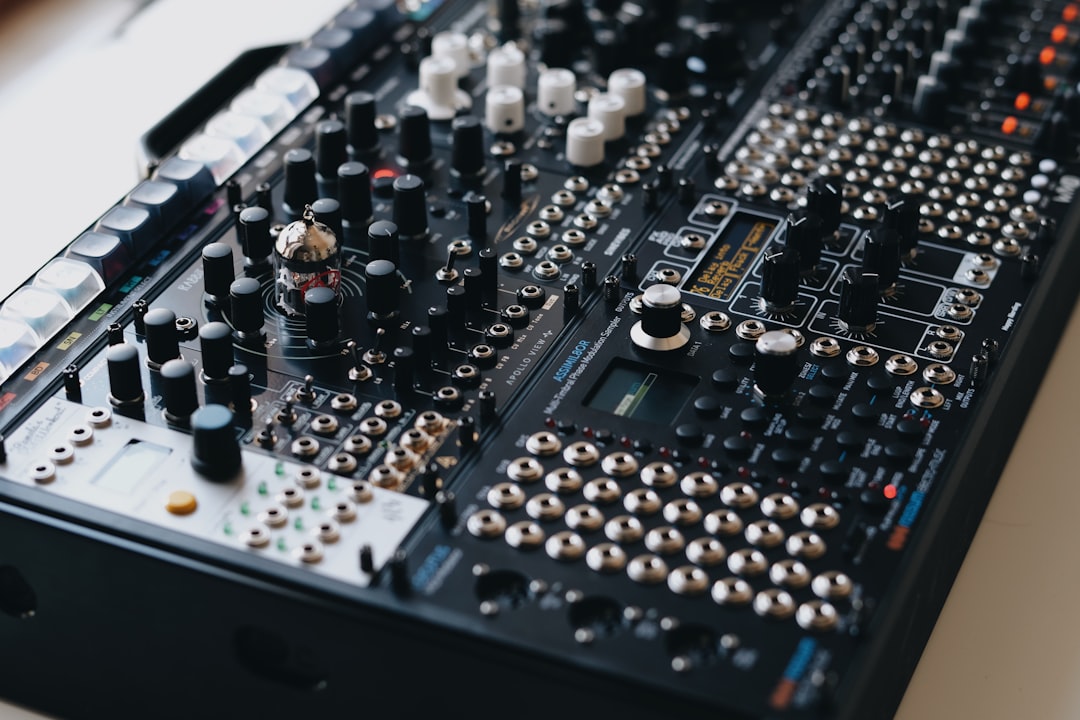
You can record guitar without an amp by plugging straight into your audio interface and shaping the tone with amp-simulation software or a hardware modeller. This captures a clean signal and lets you dial in distortion, cabinets and effects digitally — perfect for quiet home recording, late-night sessions and flats where a cranked amp is not an option.
Quick steps
- Plug your guitar into your interface’s instrument (Hi-Z) input.
- Set a clean level with no clipping.
- Add an amp-sim plugin in your DAW (or use a hardware modeller).
- Choose an amp, cabinet and mic model, then tweak.
- Record, and keep the clean track for later reamping.
Plug into your audio interface
Most interfaces have at least one input switchable to instrument or Hi-Z mode, which provides the high input impedance an electric guitar needs. Connect the guitar with a standard instrument cable, engage the instrument setting on that channel, and you have a clean DI signal ready to record. If you are new to this, our guide to setting up an audio interface walks through it. For longer runs or to kill hum you can add a DI box, but for desk-distance recording the interface input is enough.
The Hi-Z setting matters more than people expect. A passive guitar pickup is a high-impedance source, and feeding it into a low-impedance line input drains the high end and leaves the tone dull and lifeless before the amp sim ever touches it. If your interface has no instrument input, a DI box or a buffered pedal in front of the signal chain solves the same problem. Use the shortest decent-quality cable that reaches comfortably, and keep the lead away from power supplies and laptop chargers to avoid picking up hum.
Set a clean recording level
Record the guitar dry and fairly conservative on level so the loudest strums never clip. Digital clipping on the way in cannot be undone, and amp sims sound best when fed a clean, unclipped signal. Good gain staging here makes everything downstream easier.
Aim for peaks well below the top of the meter — leaving a comfortable margin of headroom means a hard accent or an open strum will not catch the ceiling. Unlike a real amp, where you crank the input to push the front end into distortion, an amp sim does its own gain-shaping inside the plugin. Your job at the interface is simply to capture the cleanest, most faithful version of the pickup signal. Drive comes later, in the software, where you can adjust it without re-recording. The same clean-capture principle applies whether you are tracking direct like this or recording electric guitar through other methods.
Shape the tone with amp sims
This is where the amp lives now — in software. Amp-simulation plugins model real amps, cabinets and mic placements. Popular options include the amp-sim suites from Neural DSP, IK Multimedia AmpliTube, Positive Grid BIAS FX, and Native Instruments Guitar Rig; many DAWs also ship with capable built-in amp and cabinet tools. Reaper, for example, works well as a host for any of these — see the best free DAWs for beginners.
Insert the amp sim on your guitar track, pick an amp model that suits the part (clean, crunch or high-gain), choose a cabinet and a virtual mic position, then fine-tune gain and EQ. Keep gain sensible: too much fizz buries the playing.
The biggest tonal changes usually come from the cabinet and mic, not the amp head, so spend time there. Moving the virtual mic from the centre of the speaker towards the edge softens the harsh top end, while pulling it back from the grille adds room and warmth. If a part feels cluttered in a busy mix, a touch of high-pass filtering and a small dip in the low mids will help it sit without you reaching for more gain. Treat presets as starting points rather than finished tones — they are voiced in isolation and almost always need trimming once your guitar is sitting alongside bass, drums and vocals.
Hardware options without an amp
If you prefer dedicated gear to plugins:
- Modelling units and pedals (such as Line 6 Helix, HX Stomp, or a multi-effects floor unit) output a fully processed, cabinet-emulated signal straight into your interface.
- Amp pedals with cab sim let you build a small board that goes direct to record.
These run silently into the interface, so you monitor through headphones or studio monitors with no loud amp in the room. If you do have a cab and a quiet space, the mic’d alternative is covered in our guide to recording a guitar amp.
The trade-off between hardware and plugins is mostly about workflow. A floor modeller gives you a physical, tactile setup with knobs and footswitches, which suits live players and anyone who finds staring at a screen distracting. Plugins, on the other hand, are easier to recall, cheaper to expand, and let you change the entire tone after the take because the processing is not committed to the recording. Many home setups end up using both — a hardware unit for fast, inspiring tracking and plugins for fine-tuning at mixdown.
Always record a clean DI
Whether you use plugins or hardware, record the clean DI track as well. With the dry signal saved, you can reamp later — re-running it through different amps or sims until the tone fits the mix. Learn the full process in what is reamping. This habit means you are never locked into a tone you chose at 1am.
Monitor without latency
Amp sims add processing, and high buffer settings can introduce delay between your pick and the sound. Lower your buffer size while tracking, or use your interface’s direct/zero-latency monitoring with the sim applied on the recorded track. Our explainer on audio latency covers how to keep playing in time.
Common mistakes to avoid
A few habits trip up most people recording guitar direct for the first time. Watch for these:
- Forgetting the Hi-Z input — plugging a passive guitar into a line or mic input robs the tone of its top end before processing even begins.
- Setting levels too hot — overdriving the interface clips the recording permanently; capture clean and add drive in the sim.
- Stacking too much gain — high-gain presets sound exciting solo but turn to mush in a mix. Less distortion almost always sits better.
- Skipping the clean DI — if you bounce only the processed tone, you lose the option to reamp and fix it later.
- Ignoring the cabinet — leaving the default cab and mic in place is the single most common reason a direct tone sounds fizzy or boxy.
Frequently asked questions
Do amp sims sound as good as a real amp?
Modern amp-simulation plugins and modellers are very convincing and appear on countless professional releases. A real amp in a treated room can still feel different to play and capture, but for home recording the tone gap is small and the convenience is large.
What do I need to record electric guitar without an amp?
A guitar, an instrument cable, an audio interface with a Hi-Z input, a DAW, and an amp-sim plugin or a hardware modeller. Headphones or monitors let you hear the processed tone without any loud amp.
Can I record electric guitar straight into my interface without any processing?
Yes, and you should keep that clean DI track. On its own it sounds thin and undistorted because it lacks an amp’s character, so you add tone with amp sims afterwards — or reamp it later through real gear.
Can I record an acoustic guitar this way too?
An acoustic with a built-in pickup can plug into the Hi-Z input just like an electric, which is handy for quiet or late-night takes. The piezo tone is usable but rarely flattering on its own, so it benefits from EQ or an acoustic-simulation plugin. For the most natural sound, though, micing the acoustic in the room still wins.



