
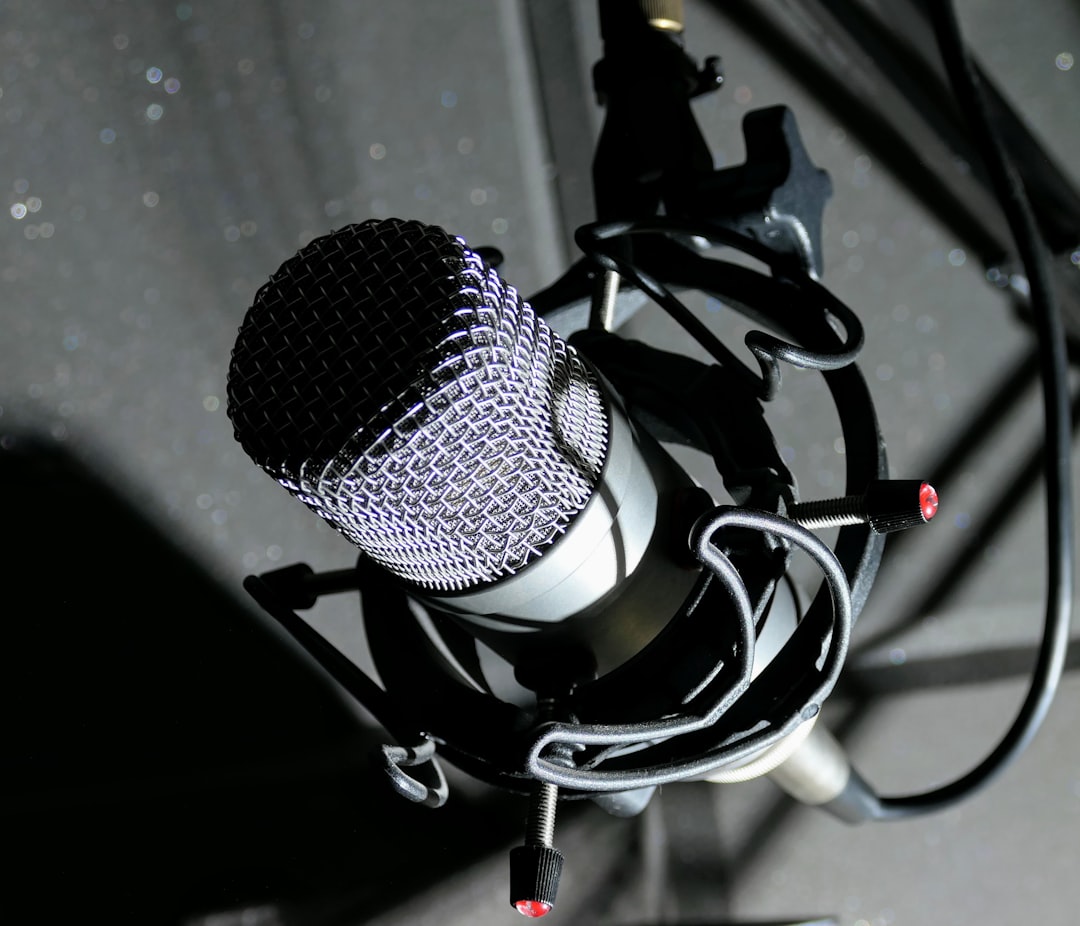
If you want the best microphone for streaming without building a full studio, a usb microphone for streaming is the shortcut. If you want one that plugs straight into your PC and makes you sound clear on Twitch, YouTube or Discord, you have never had more good options. A USB mic skips the audio interface, the phantom power and the cable juggling, and gets you talking to your audience in minutes. The catch is that “USB mic” now covers everything from a budget plug-and-play desk mic to a broadcast-grade dynamic, and they are not interchangeable. This guide compares the models actually worth your money and, just as importantly, shows you how to pick between them.
Violet Recording is reader-supported — we may earn a commission from links on this page, at no extra cost to you.
The quick picks at a glance
Short on time? Here is the shortlist. The Shure MV7 is the safest all-rounder for voice, the Elgato Wave:3 is the tidiest choice if you live in OBS, the HyperX QuadCast S is the crowd-pleaser with the glow, the Blue Yeti is the do-everything classic, and the Samson Q2U is the budget hero that punches above its price. As a rough sense of the market, USB streaming mics run from budget models under $100 to broadcast-grade dynamics that sit well above that — prices are approximate and move around, so always check the live figure before you buy.
| Mic | Type / pattern | Best for | Key feature | Buy |
|---|---|---|---|---|
| Samson Q2U | Dynamic, cardioid (USB + XLR) | Beginners on a budget | USB + XLR outputs, rejects room noise | Shop on Amazon |
| Blue Yeti | Condenser, multi-pattern | All-round desk use | Four selectable polar patterns | Shop on Amazon |
| HyperX QuadCast S | Condenser, multi-pattern | Gamers who want RGB + tap-to-mute | Tap-to-mute with light-off cue, built-in shock mount | Shop on Amazon |
| Elgato Wave:3 | Condenser, cardioid | OBS / software-mixer streamers | Wave Link virtual mixer + Clipguard | Shop on Amazon |
| Rode NT-USB Mini | Condenser, cardioid | Compact, clean desk setup | Small footprint, magnetic detachable stand | Shop on Amazon |
| Shure MV7 | Dynamic, cardioid (USB + XLR) | Voice-first streaming in untreated rooms | Dynamic capsule + companion app EQ/compressor | Shop on Amazon |
How to choose the best microphone for streaming (USB buyer’s guide)
Before you look at any specific model, settle three questions, because they narrow the field faster than any spec sheet.
Is your room treated or noisy? This is the single biggest factor. Condenser microphones are more sensitive and pick up more of the room — keyboard clatter, the fan in your PC, the neighbour’s dog. Dynamic microphones are less sensitive and reject more of that background noise, which is why broadcasters and podcasters lean on them. If you stream in a bare, echoey or noisy room and can’t fix the acoustics right now, a dynamic mic like the Samson Q2U or Shure MV7 will flatter you more than a condenser will. If you have some acoustic treatment or a quiet space, a condenser rewards you with more detail and “air.” Our explainer on condenser vs dynamic microphones goes deeper if you want the full picture, and the polar patterns guide covers why cardioid is the pattern you want for solo streaming.
How close will you sit? Streaming mics generally sound best up close — think a fist’s width from your mouth, on a boom arm, not parked across the desk. All of the mics here are designed for that close, spoken-word use. If you plan to sit far back, a dynamic mic again has the edge because it stays quiet between words.
Do you want to grow into XLR later? Some of these are hybrid mics with both USB and XLR outputs. That matters if you think you’ll eventually add an audio interface and a proper signal chain. The Samson Q2U and the Shure MV7 both give you that upgrade path in one purchase.
The best all-rounder: Shure MV7
The Shure MV7 is the mic most people should buy if the budget stretches. It’s a dynamic microphone with a cardioid pattern, built in the spirit of the legendary broadcast SM7B but far friendlier for a home streamer: it has both a USB output for plug-and-play and an XLR output for when you upgrade. Because it’s dynamic and designed for close speech, it stays forgiving in rooms that aren’t acoustically perfect, and Shure’s companion software gives you gain, EQ and a compressor without leaving your desk. If your stream is voice-first — talking, reacting, podcasting — this is the one that just works. Check the current price on Amazon before you buy, as it moves around. Shop on Amazon
Worth knowing: Shure has since released the Shure MV7+, a refreshed version with USB-C and XLR outputs, a touch panel, and updated onboard processing including a digital pop filter and real-time denoising. Stock of the original MV7 is thinning out at many retailers, so if you can’t find it, the MV7+ is the natural like-for-like replacement and keeps the same dynamic, voice-first character. See the Shure MV7+ on Amazon
The streamer’s software mic: Elgato Wave:3
The Elgato Wave:3 is a cardioid condenser built specifically with streamers in mind. Its real draw is the Wave Link software, which lets you run multiple audio sources — mic, game, chat, music — as separate channels and mix them independently, which is a genuine time-saver if you’re already deep in the Elgato ecosystem with a Stream Deck. It has a capacitive mute button on top and a clip-guard feature to help tame sudden volume spikes. As a condenser it prefers a reasonably quiet room, so pair it with a boom arm and sit close. Check the current price on Amazon. Shop on Amazon
The RGB crowd-pleaser: HyperX QuadCast S
The HyperX QuadCast S earned its popularity honestly. It’s a condenser with a built-in shock mount and pop filter, a tap-to-mute top (the light turns off when you’re muted, which is a genuinely useful visual cue), a headphone jack for zero-latency monitoring and customisable RGB lighting that looks great on camera. It offers multiple polar patterns, so you can switch from tight cardioid for solo streaming to other patterns for two-person setups, though most streamers leave it on cardioid. It’s a lot of mic for gamers who want it to look as good as it sounds. Check the current price on Amazon. Shop on Amazon
The do-everything classic: Blue Yeti
The Blue Yeti has been the default USB mic recommendation for years, and it’s still a solid buy. Its headline feature is multiple selectable polar patterns — cardioid for solo streaming, plus others for interviews or capturing a room — controlled by a dial on the back. It has onboard gain, a mute button and a headphone jack for monitoring. Being a fairly sensitive condenser, it does pick up room noise and desk bumps, so give it a boom arm and a quiet-ish space to shine, and remember to speak into the side rather than the top. If you want one flexible mic that can also record a podcast or capture an instrument, the Yeti still earns its keep. Check the current price on Amazon. Shop on Amazon
The compact clean choice: Rode NT-USB Mini
The Rode NT-USB Mini is the pick for anyone who wants tidy, no-fuss sound without a big mic dominating the shot. It’s a compact cardioid condenser with a built-in pop filter, a headphone jack for direct monitoring and a clever magnetic base that pops off so you can mount it on a stand. Rode’s clean reputation carries through here — it’s an easy, honest-sounding mic. Like any condenser, it likes a controlled room. Check the current price on Amazon. Shop on Amazon
The budget hero: Samson Q2U
If money is tight, the Samson Q2U is the smart-money answer. It’s a handheld dynamic mic with both USB and XLR outputs, a headphone jack for monitoring, and it usually ships with a desk stand and cable in the box. Being dynamic, it shrugs off background noise the way pricier broadcast mics do, which makes it a fantastic first mic for a noisy bedroom setup. You lose the polish and the software features of the premium picks, but for the price it’s hard to beat, and the XLR output means it can grow with you. Check the current price on Amazon. Shop on Amazon
What to look for in a streaming mic (beyond the sound)
Once you have picked condenser or dynamic, the features below decide whether a streaming mic is pleasant to live with every day. None of them are glamorous, but they are the difference between a mic you forget about and one you fight with mid-stream.
- A physical mute you can find without looking. A tap-to-mute top or a big button with a clear light (like the QuadCast S or Wave:3) saves you from a hot mic during a cough, a phone call or a doorbell.
- Onboard gain control. Being able to trim gain on the mic itself, instead of digging through Windows sound settings, makes it far easier to get a healthy level without clipping on loud reactions.
- A zero-latency headphone jack. Hearing yourself directly from the mic, with no computer delay, helps you control your volume and distance. Most of the picks here have one.
- Software and DSP. Companion apps that add EQ, a compressor or a limiter on the mic can replace several OBS filters. Treat it as a bonus rather than a must, since OBS can do much of the same job.
- Mounting. Check the thread size and whether the mic works on a standard boom arm. A mic that sits awkwardly on an arm ends up back on the desk, picking up every keystroke. Our roundup of the best mic boom arms covers the arm side of the equation.
Getting the mic into your software cleanly matters as much as the mic itself. Our walkthroughs on setting up streaming audio in OBS and audio for Twitch streaming show you how to route your mic, game and alerts so viewers hear a balanced mix, and if you are weighing a USB mic against an XLR rig, read XLR vs USB microphones before you commit.
Condenser or dynamic — which type fits streaming?
This decision matters more than the brand on the box. Condensers (the Yeti, Wave:3, QuadCast S and NT-USB Mini here) capture more detail and sound “bigger,” but they hear everything in the room. Dynamics (the Q2U and MV7) sound a touch darker and need you close, but they hide a multitude of acoustic sins. As a rule of thumb: quiet, treated room and you want maximum detail, go condenser; noisy or untreated room and voice is the priority, go dynamic. Whichever you choose, put it on a boom arm, sit close, and set your gain staging so your loudest moments don’t clip. For more on getting a clean vocal chain, our guide to recording vocals at home applies just as much to streaming as it does to singing.
Accessories that make any of these sound better
The mic is only half the job. A boom arm gets the capsule close to your mouth and off the noisy desk. A pop filter tames plosives on the “p” and “b” sounds. A shock mount keeps keyboard and mouse thumps from travelling up the stand into the signal. A quiet room — or even a heavy blanket behind you — cuts reflections that make you sound like you’re in a bathroom. And headphones for monitoring stop you from clipping without realising. If you’re building out the whole space, our home studio gear checklist covers what actually matters versus what’s a nice-to-have, and the record a podcast at home guide translates almost one-to-one to streaming. You can browse more mic guides on our microphones hub.
Frequently asked questions
Do I need an audio interface if I have a USB microphone?
No — that’s the whole point of a USB mic. The analogue-to-digital conversion and the preamp are built in, so it plugs straight into a USB port and shows up as an input in OBS, Discord or your DAW. You’d only add an audio interface later if you move to an XLR mic or want to run multiple mics at once.
Is a dynamic or condenser mic better for streaming in a noisy room?
A dynamic mic. Dynamics are less sensitive and reject more background noise, so a fan, mechanical keyboard or untreated room bothers them far less than a condenser. The Samson Q2U and Shure MV7 above are both dynamics for exactly this reason. In a quiet or treated room a condenser will give you more detail.
Should I get a USB mic that also has an XLR output?
If you think you might upgrade to an audio interface down the line, yes — a hybrid mic like the Q2U or MV7 lets you start on USB today and switch to a full XLR chain later without buying a new mic. If you’re certain you’ll stay plug-and-play, a USB-only mic like the Wave:3 or NT-USB Mini keeps things simpler and often cheaper.
What is the best microphone for streaming on a budget?
For most people the Samson Q2U is the best streaming mic under $100. It is a dynamic USB mic, so it ignores much of the fan and keyboard noise that budget condensers pick up, and its XLR output means you can keep using it if you later move to an audio interface for streaming. Spend the money you save on a boom arm, which improves any streaming mic more than an extra upgrade tier does.
How do I make my streaming mic sound better in OBS?
Start at the source: sit a fist’s width from the mic, set your gain so loud moments don’t clip, and reduce room reflections. Then add a short chain of OBS filters on the mic, typically noise suppression, a noise gate, a compressor and a limiter, in that order. Keep each filter gentle; heavy noise suppression makes a voice sound watery. For a full walkthrough of levels and loudness, see our guide to streaming audio in OBS, and if you’re specifically on Twitch, our picks for the best microphone for Twitch go deeper on that platform.



